Improving File Tracking for New Users in Figma
Improving File Tracking for New Users in Figma
New users often lost track of files in Figma. I redesigned the interface to surface file locations, simplify organization switching, and streamline actions—making navigation clearer and more intuitive.
New users often lost track of files in Figma. I redesigned the interface to surface file locations, simplify organization switching, and streamline actions—making navigation clearer and more intuitive.
Context
In my first year of grad school, I noticed that many classmates struggled to locate their files or understand where their work was saved in Figma.
In my first year of grad school, I noticed that many classmates struggled to locate their files or understand where their work was saved in Figma.
This observation made me think about how interface clarity and information hierarchy affect new users—even in tools we use every day. So I applied my UX consultant mindset to redesign the experience, focusing on improving file trackability and overall usability for first-time collaborators.
Key Issue
Users often lose track of where their files are stored due to unclear indication of the current organization, making file retrieval difficult
Users often lose track of where their files are stored due to unclear indication of the current organization, making file retrieval difficult
Recent Page
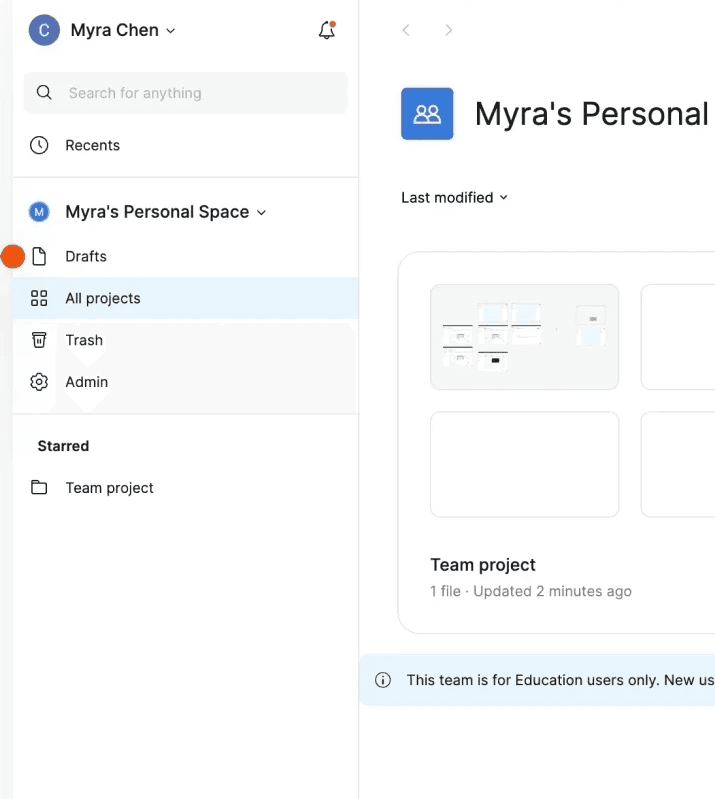
All Project Page under an Organization
Issue 1
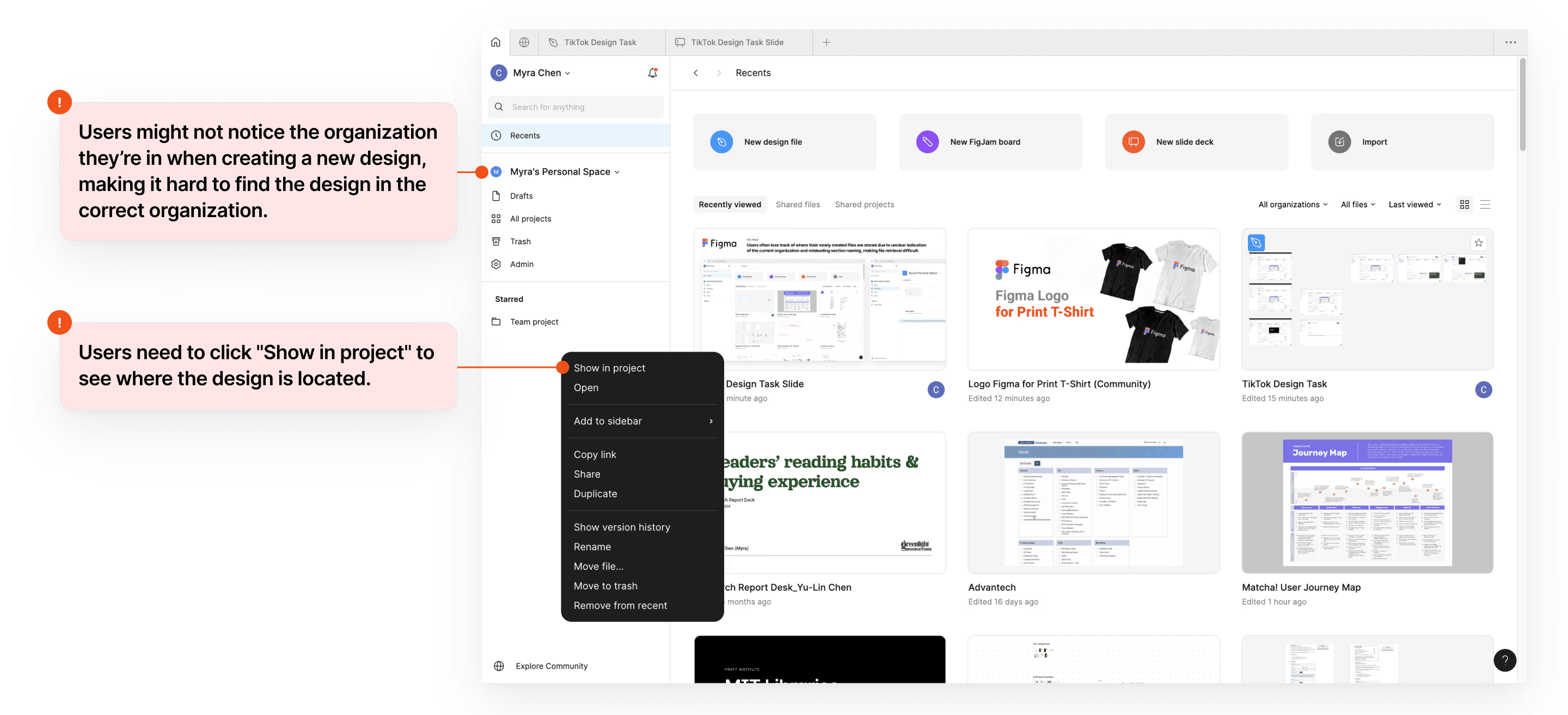
Users might not notice the organization they're in when creating a new design, making it hard to find the design in the correct organization.
Issue 2
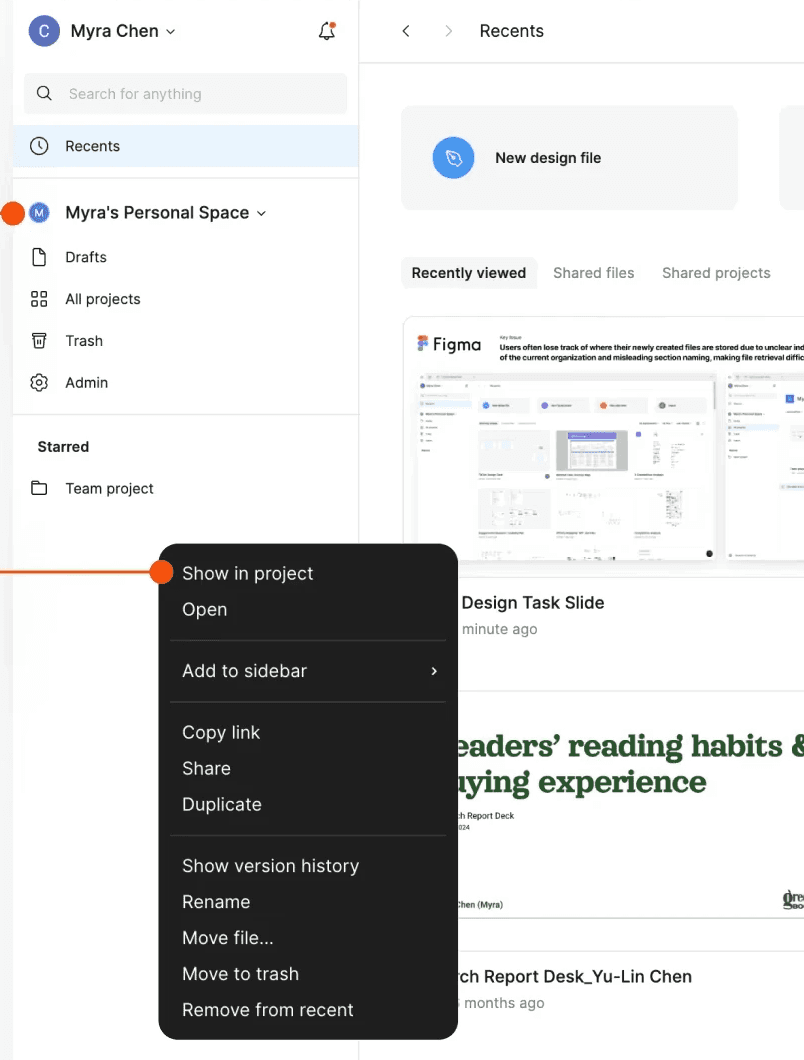
Users need to click "Show in project" to see where the design is located.
Issue 3
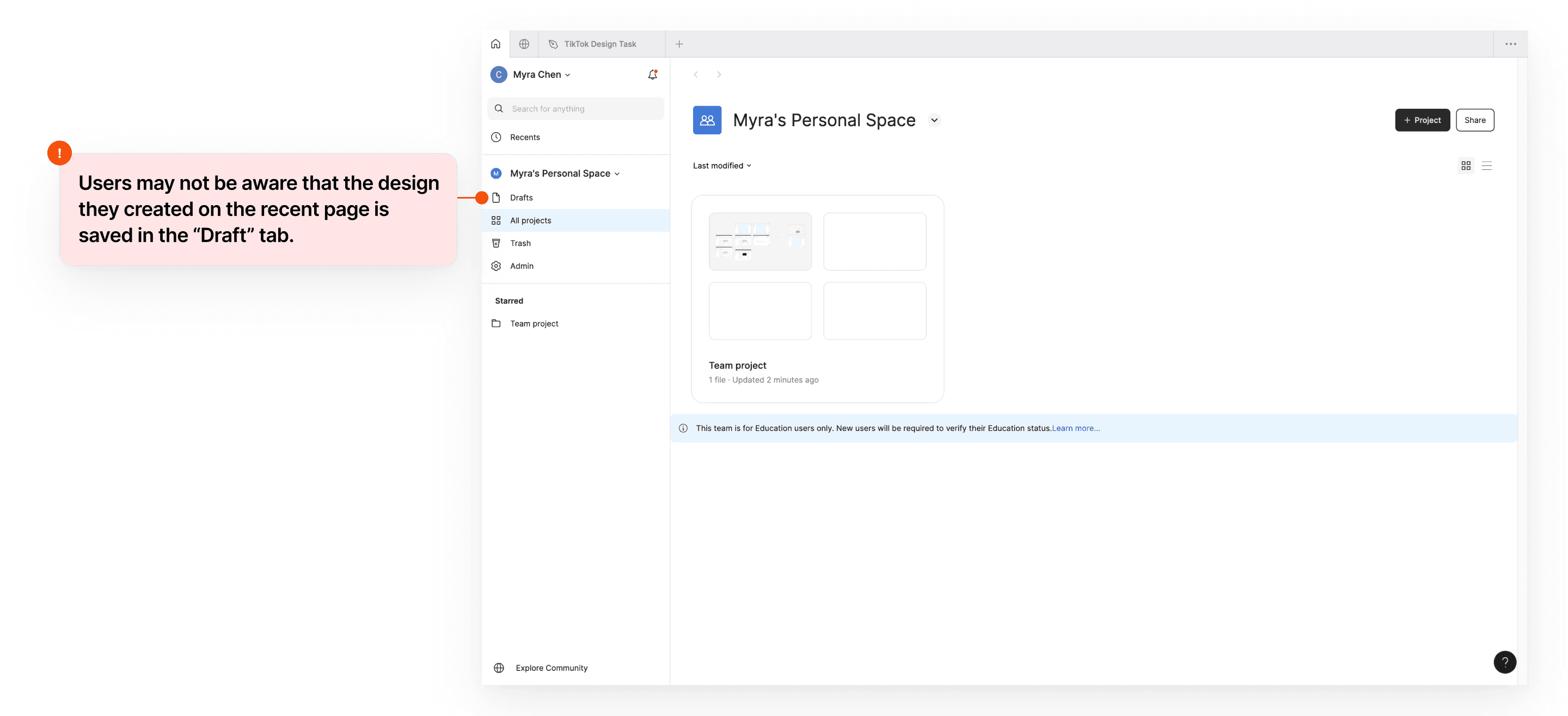
Users might not be aware that the design they created on the recent page is saved in the "Draft" tab.
Solution 1
Make file locations and current context more visible, and simplify how users locate their files to improve traceability.
Make file locations and current context more visible, and simplify how users locate their files to improve traceability.
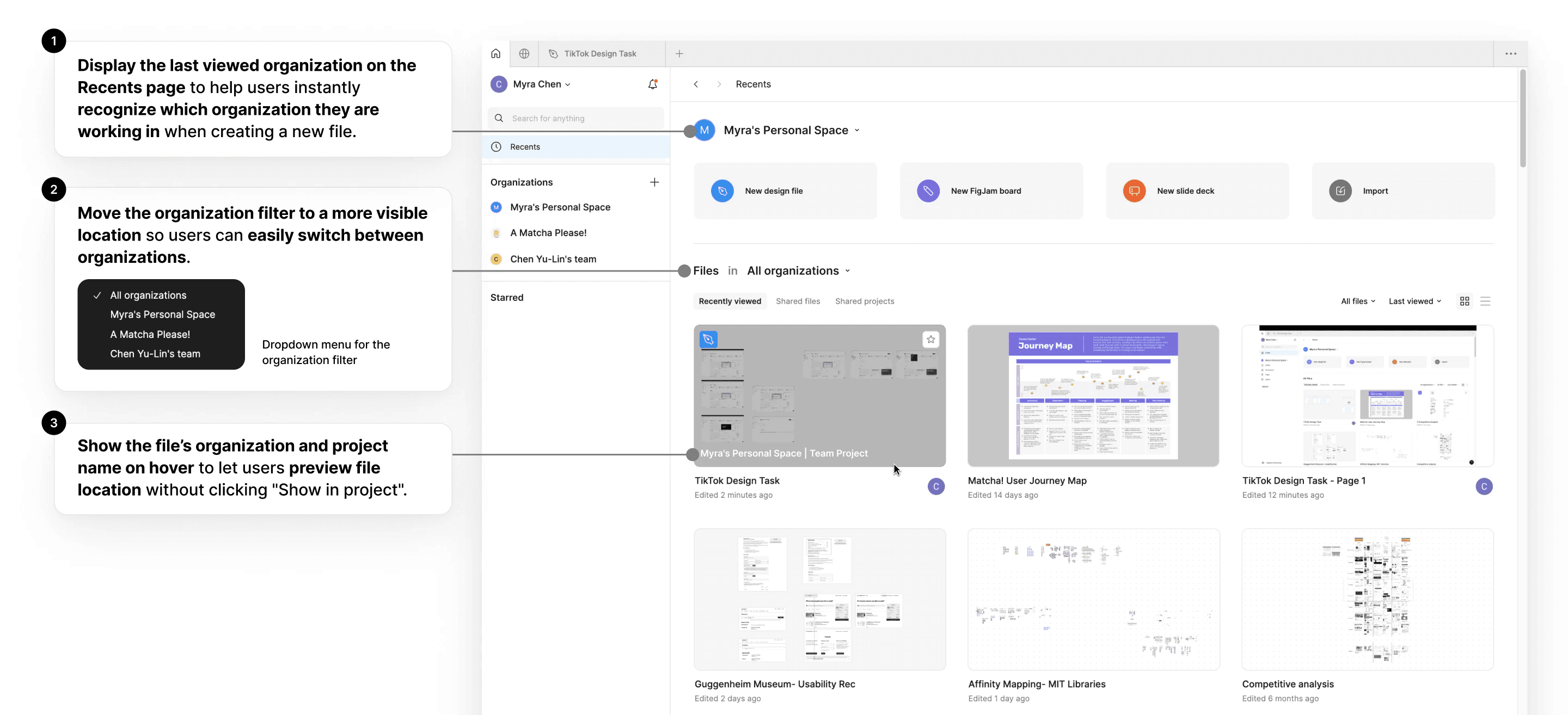
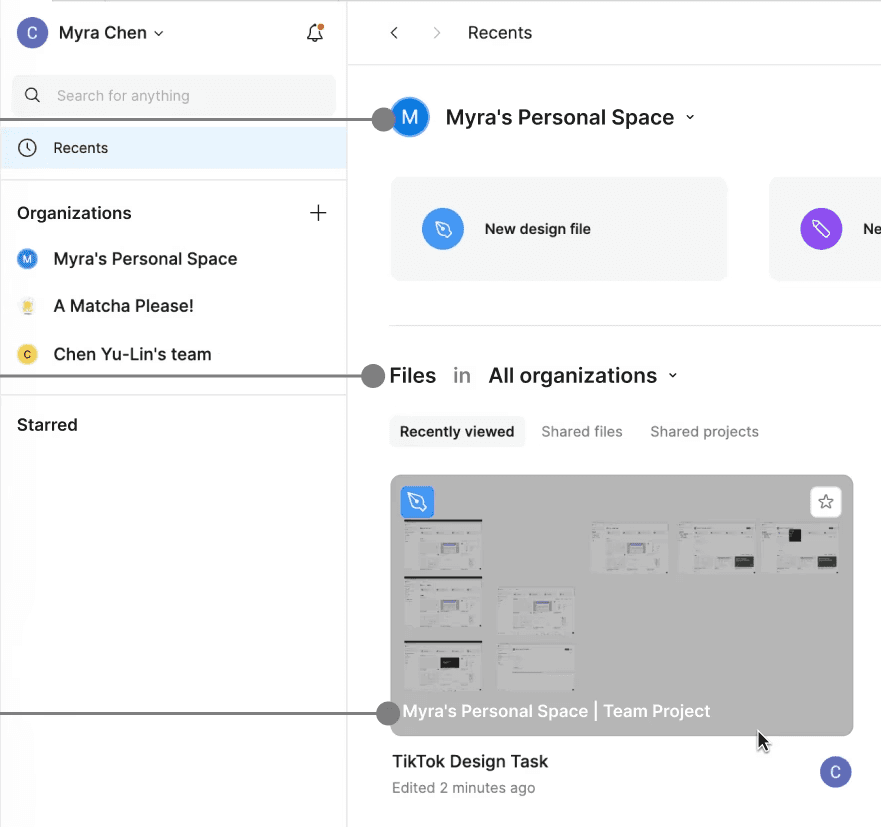
Recent Page
Solution 2
Consolidate organization content and actions into one page to minimize page and context switching when finding a design.
Consolidate organization content and actions into one page to minimize page and context switching when finding a design.
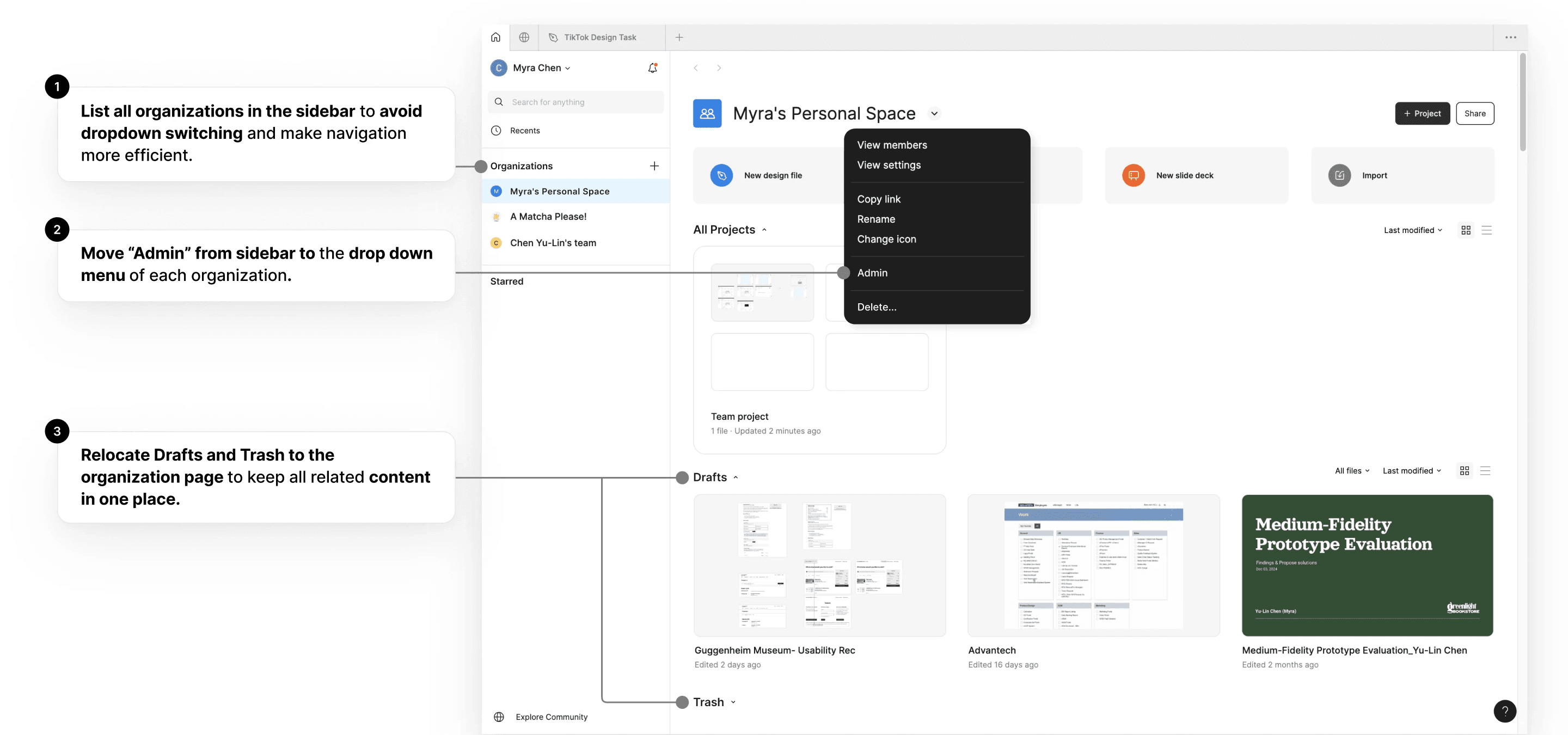
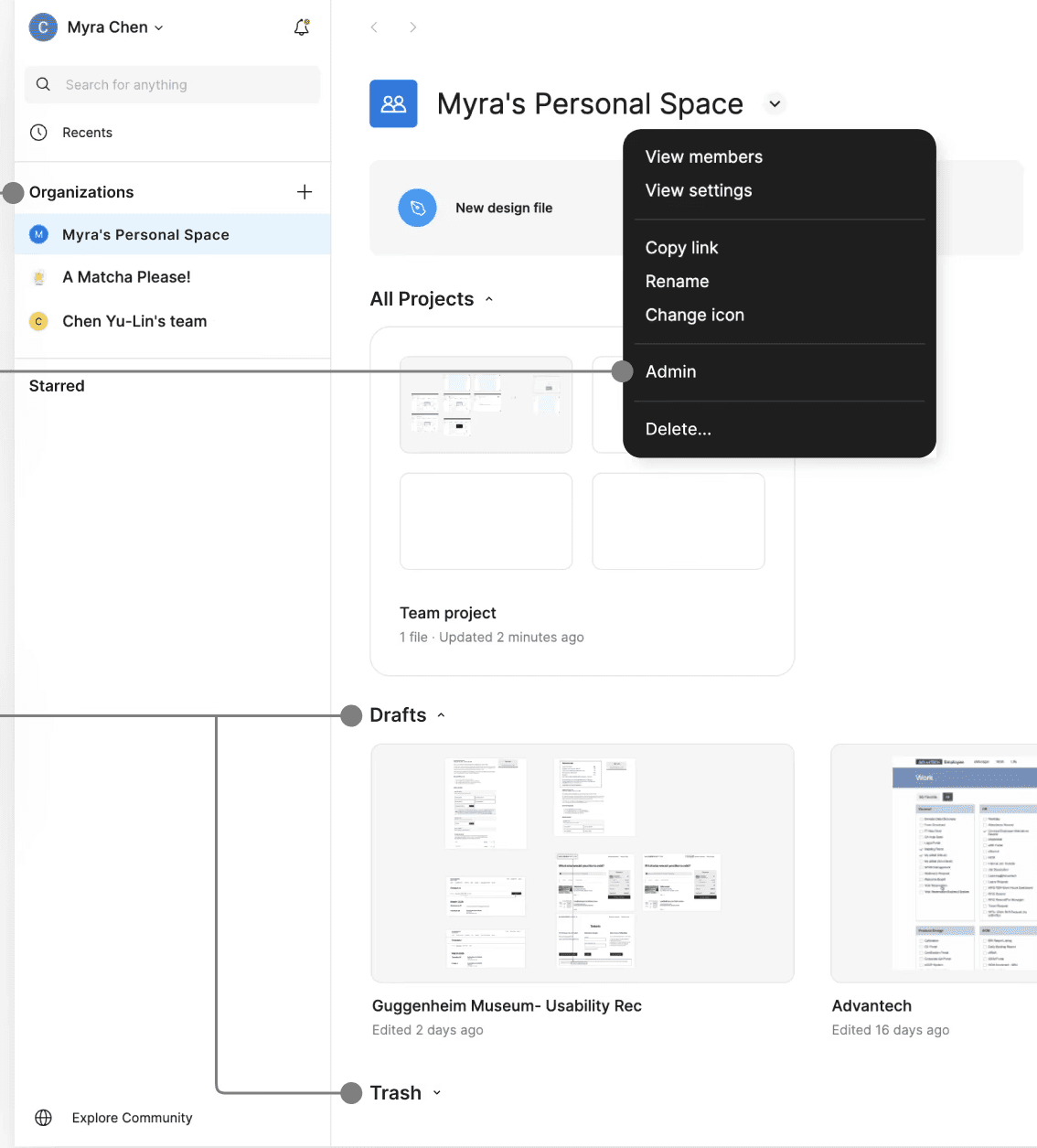
An Organization Page
Detail
List all organizations in the sidebar to avoid dropdown switching and make navigation more efficient.
Detail
Move "Admin" from sidebar to the drop down menu of each organization.
Detail
Relocate Drafts and Trash to the organization page to keep all related content in one place.
Detail
Display the last viewed organization on the Recents page to help users instantly recognize which organization they are working in when creating a new file.
Detail
Move the organization filter to a more visible location so users can easily switch between organizations.
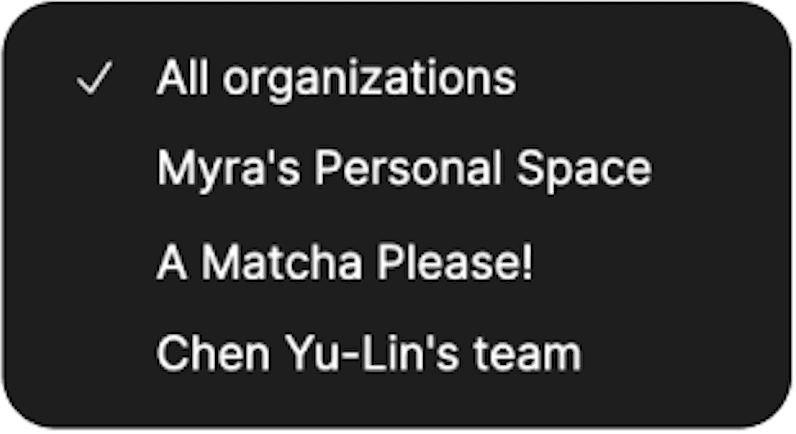
Dropdown menu for the organization filter
Detail
Show the file's organization and project name on hover to let users preview file location without clicking "Show in project".
Other projects
Other projects
Other projects
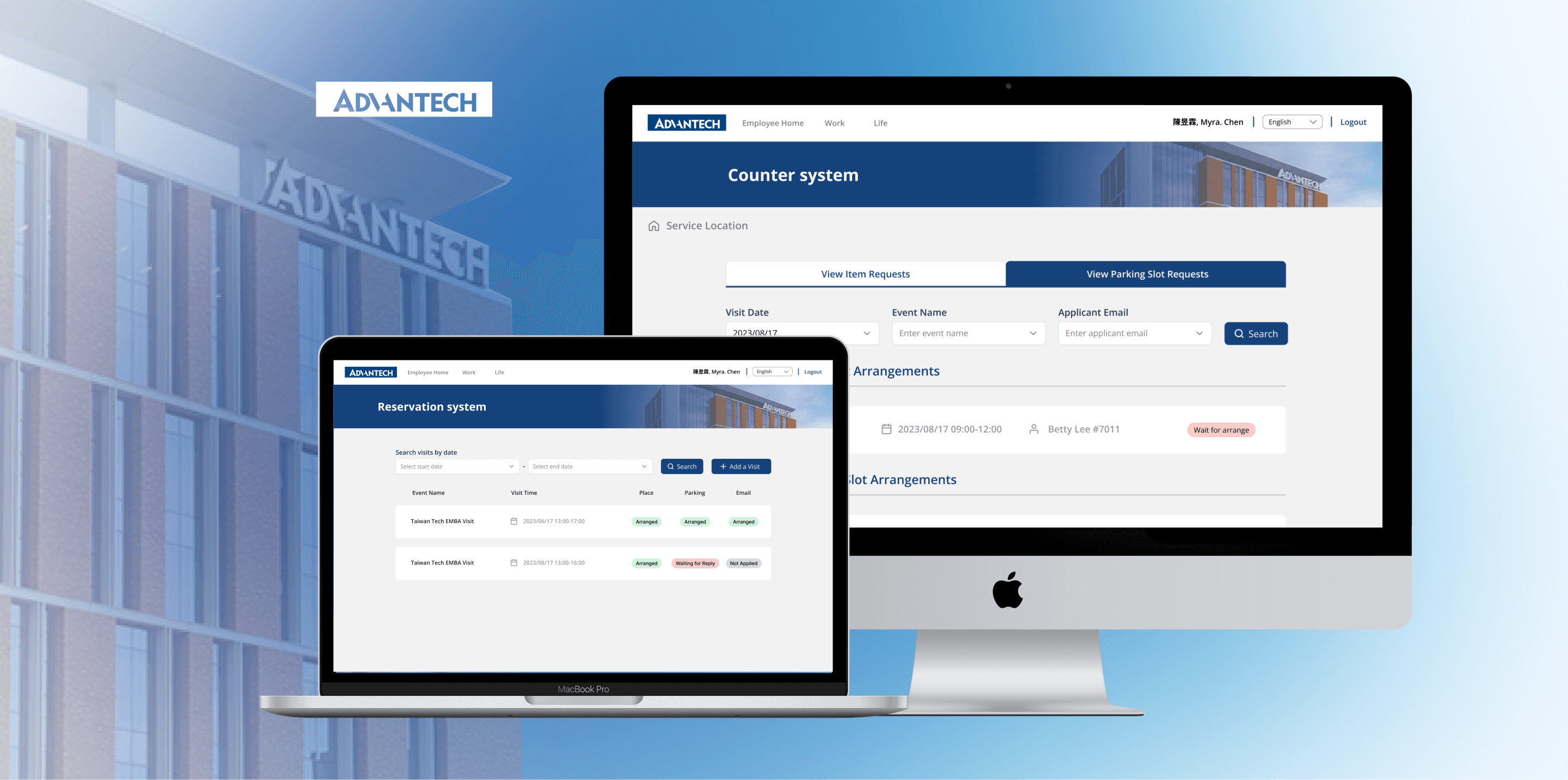
Revolutionizing the Open House Experience for Visitors and Staff
Revolutionizing the Open House Experience for Visitors and Staff
Designed a visiting reservation system to streamline the Open House experience, impacting 1,500+ visitors annually.
Designed a visiting reservation system to streamline the Open House experience, impacting 1,500+ visitors annually.
Designed a visiting reservation system to streamline the Open House experience, impacting 1,500+ visitors annually.
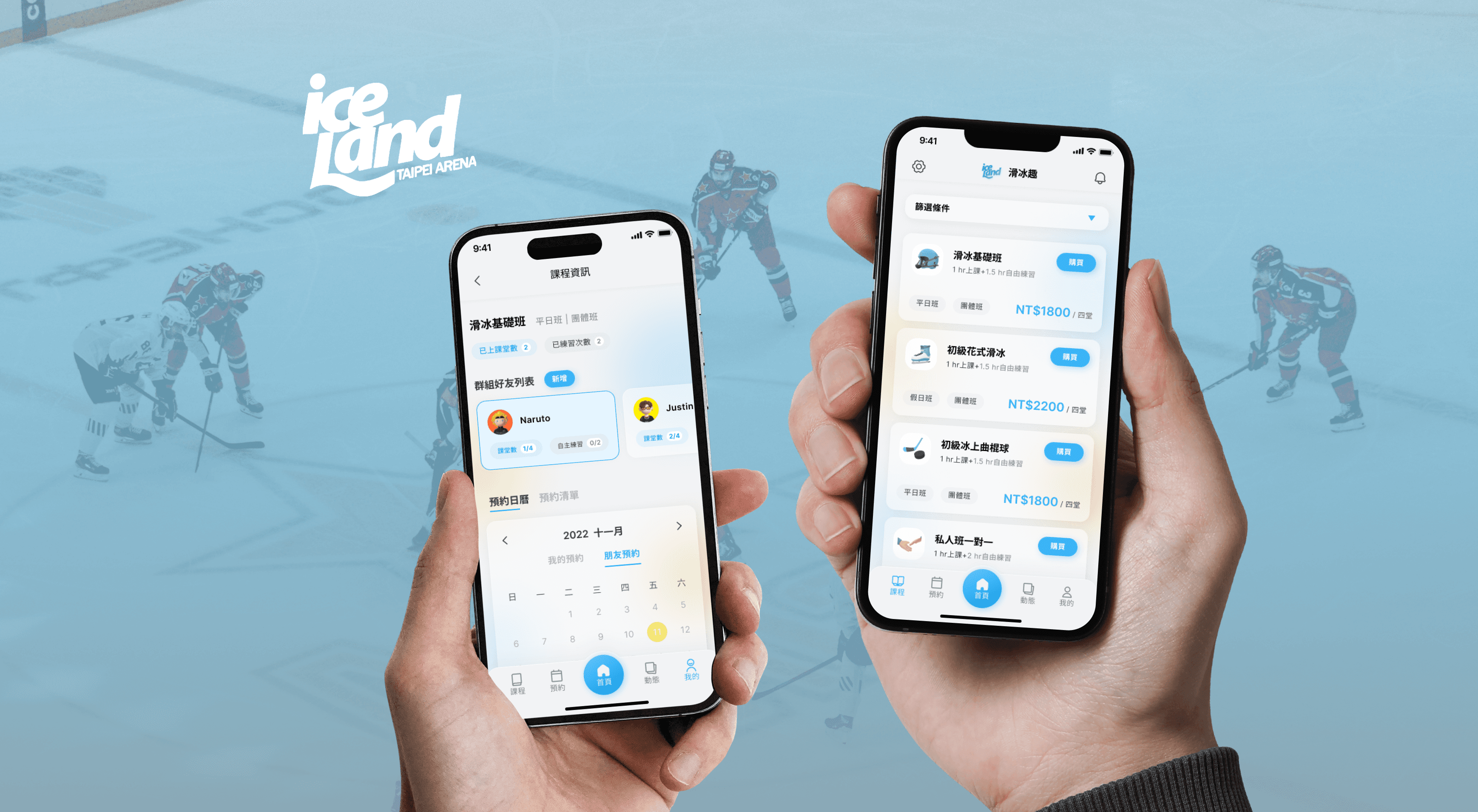
Revamping an Outdated Desktop Website into a Ice Skating Course App
Revamping an Outdated Desktop Website into a Ice Skating Course App
Designed an app to digitize enrollment and streamline ice skating course bookings.
Designed an app to digitize enrollment and streamline ice skating course bookings.
Designed an app to digitize enrollment and streamline ice skating course bookings.
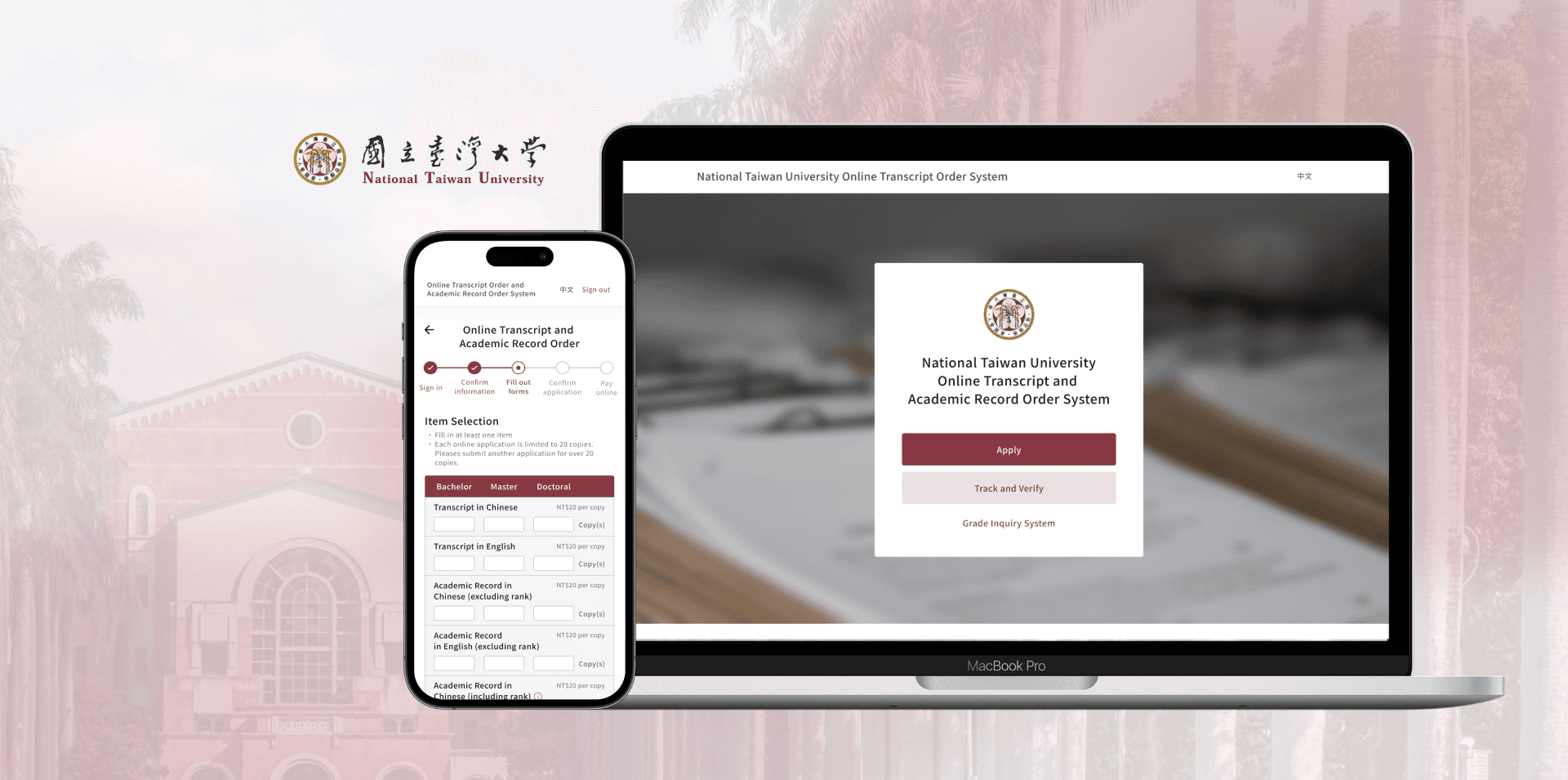
Redesigned Online Transcript Record Order System
Redesigned Online Transcript Record Order System
Streamlined system by optimizing IA, and enhancing clarity with a progress bar and contrasting colors.
Streamlined system by optimizing IA, and enhancing clarity with a progress bar and contrasting colors.
Streamlined system by optimizing IA, and enhancing clarity with a progress bar and contrasting colors.
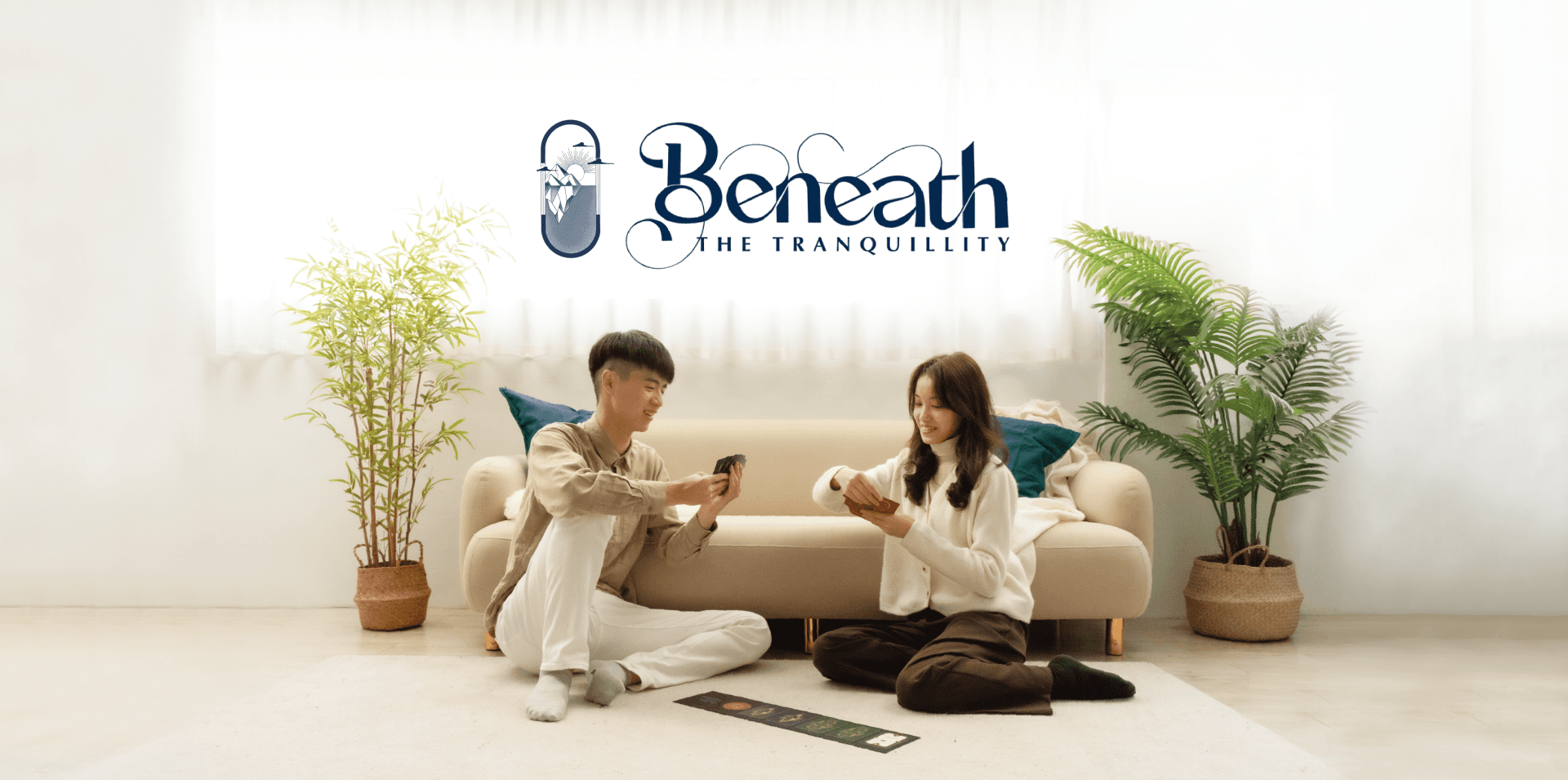
Beneath The Tranquillity - Relationship-boosting card
Beneath The Tranquillity - Relationship-boosting card
A card deck designed to foster reflection and reduce misunderstandings from text-based communication.
A card deck designed to foster reflection and reduce misunderstandings from text-based communication.
A card deck designed to foster reflection and reduce misunderstandings from text-based communication.

Post-epidemic Museum Experience Design
Post-epidemic Museum Experience Design
Designed post-pandemic museum experiences, re-engaging visitors with user-driven prototyping.
Designed post-pandemic museum experiences, re-engaging visitors with user-driven prototyping.
Designed post-pandemic museum experiences, re-engaging visitors with user-driven prototyping.