UX Research
B2C Web
Info Arch
My Role
Timeline
Team
Tools Used
Contributions
Led Design Strategy & Direction 🎯
Defined the redesign scope and direction as design lead, aligning the team on goals, setting priorities, and translating insights into actionable design decisions.
Improved Information Architecture 🗂️
Used card sorting and tree testing to restructure the site’s navigation, improving content discoverability and clarity across the homepage and key entry points.
Boosted Usability & Task Success 📈
Conducted usability tests that informed iterations—resulting in ~10% improvement in task success rate and smoother search experiences for users.
Built a Scalable Design Guide 🎨
Created a cohesive style guide and Figma component library, ensuring visual consistency while staying aligned with MIT’s brand standards.
Highlights
Context
In January 2025, our team partnered with MIT Libraries to redesign the homepage and information architecture of their research-heavy website. Internal feedback showed that students, faculty, researchers, and staff were overwhelmed by the navigation and search tools. Our goal was to validate these issues through user research and propose strategic redesigns that could lay the foundation for a long-term, campus-wide website transformation.
The Problem
The library website was described as cluttered and hard to navigate. Key resources like research guides and library hours were difficult to find, and the search experience was confusing. Users struggled to understand the difference between Bento (broad search) and Primo (narrow catalog), and site search lacked visibility—causing many to rely on chat or leave the site for tools like Google Scholar.
Current Website Interface
Goals
We began with the following design questions:
What do users want to do on the library’s website?
What are they expecting or hoping to accomplish?
How do they behave as they navigate the site?
Are they able to use the site effectively, and if not, why?
Our team aimed to:
Identify pain points users experienced on the site.
Analyze how users interact with the homepage and search.
Develop strategic, research-backed redesigns to improve clarity, usability, and confidence.
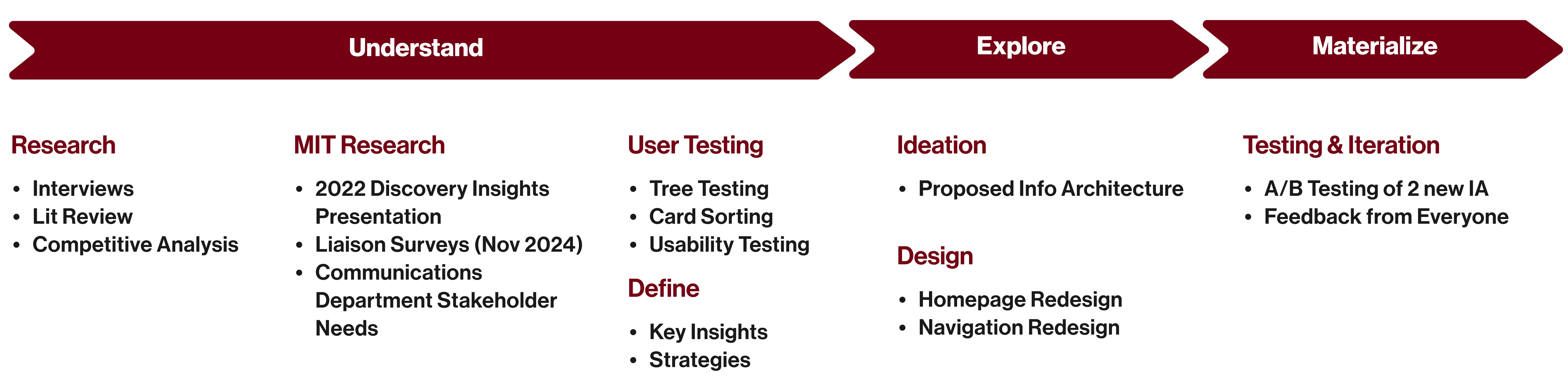
Redesign Plan
Research
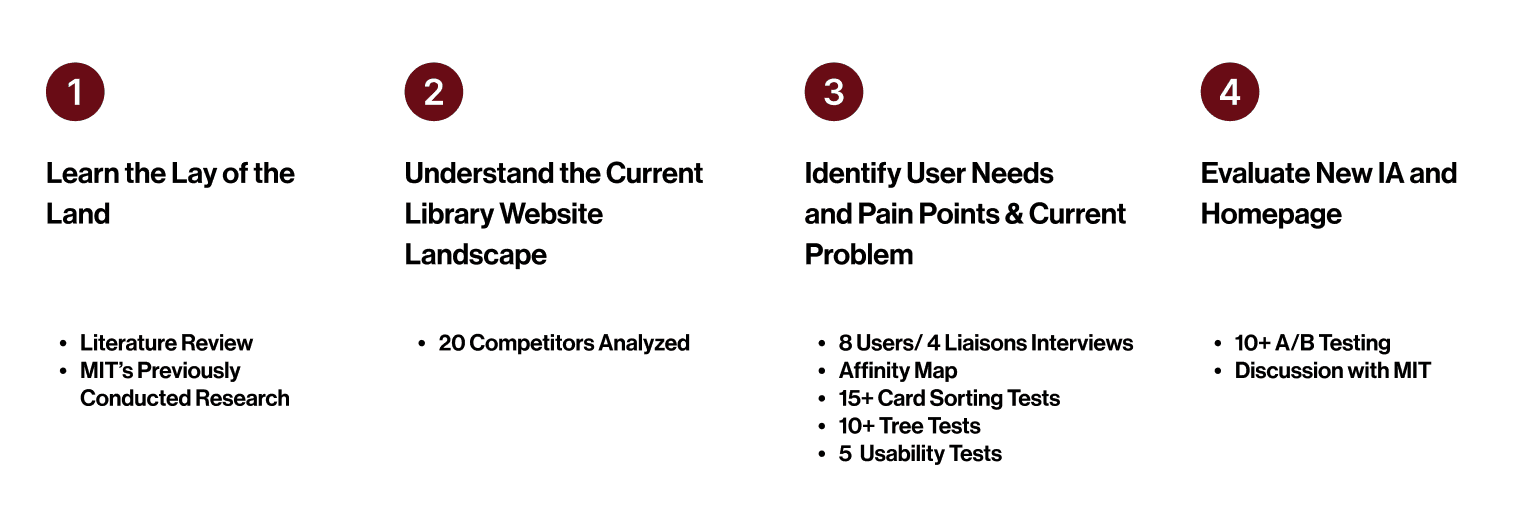
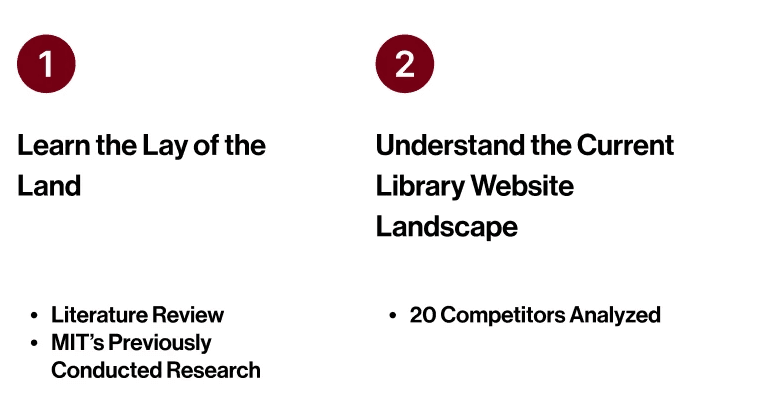
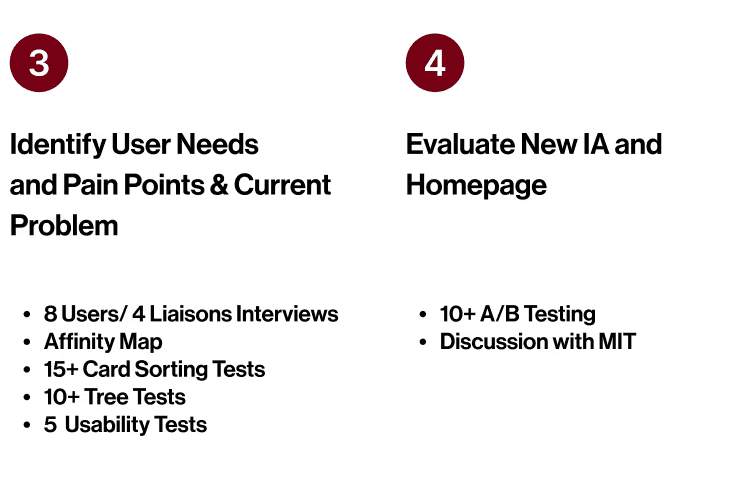
Stakeholder Interviews
Users came in expecting a Google-like experience, but confusing nomenclature and unclear structure made it difficult to find even basic resources—leading to frustration and frequent drop-offs.
"Sometimes this (navigation bar) can feel like they're looking for a needle in a haystack."
“Students almost always start with the search bar.”
"I find information for articles by opening Chrome, type ArXiv.org and search there.”
“I do think that libraries try to do a good job of matching search terms to direct results; however, I wouldn't necessarily say it's intuitive..."
Card Sorting + Tree Testing
Through card sorting and tree testing with 20+ participants, we found that users organize content based on task familiarity, but struggle with library-specific terminology.
Low confidence scores pointed to a navigation structure that feels unintuitive and reliant on trial and error.
Usability Testing
Across 8 usability tests, users misused the catalog search as a site search and often relied on “Ask a Librarian” tools—highlighting a lack of clarity in the current site’s navigation and search experience.
Competitive Analysis
Our findings indicated trends across multiple university library websites that offer intuitive search experiences that differentiate between a site search and catalog search, navigation bars that are clearly labeled and therefore easy to use, offer easy-to-discover library services, and ideally, responsive designs across mobile and desktop experiences.
Cornell University
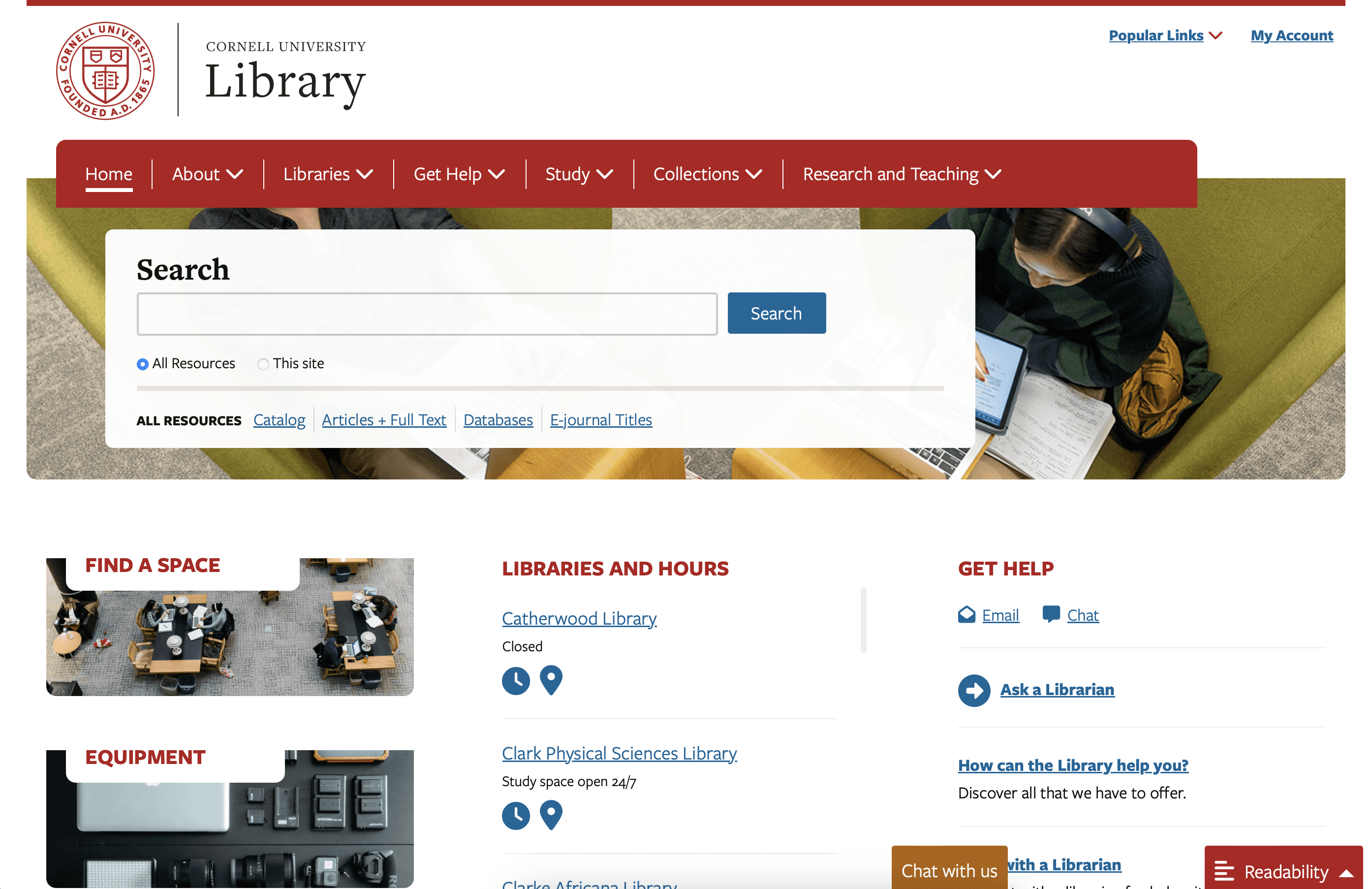
Advantage
# Search Functionality
# User-Friendly Navigation
# Community Engagement
Princeton University
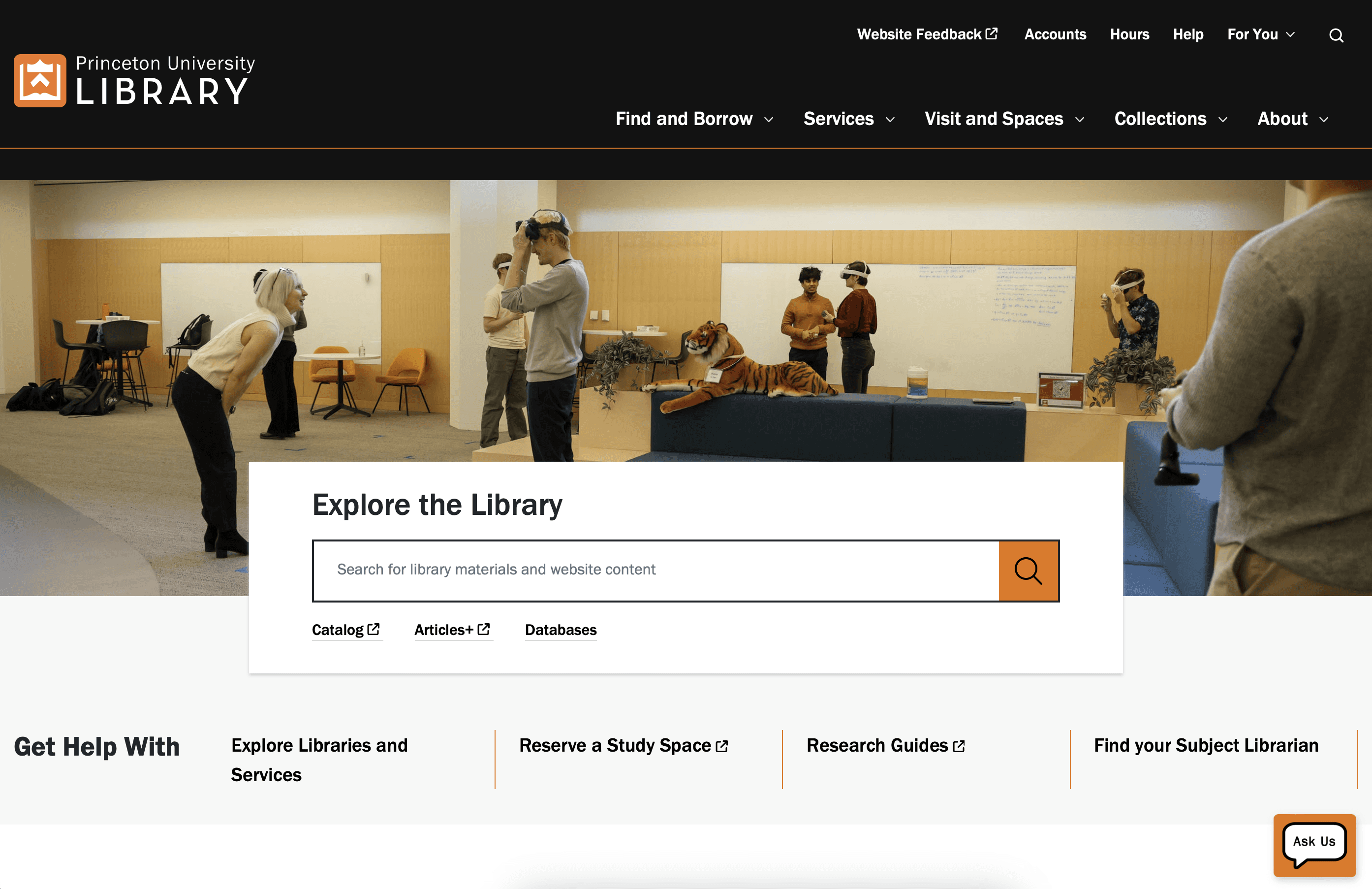
Advantage
# Search Functionality
# User-Friendly Navigation
# Integration with Academic Tools
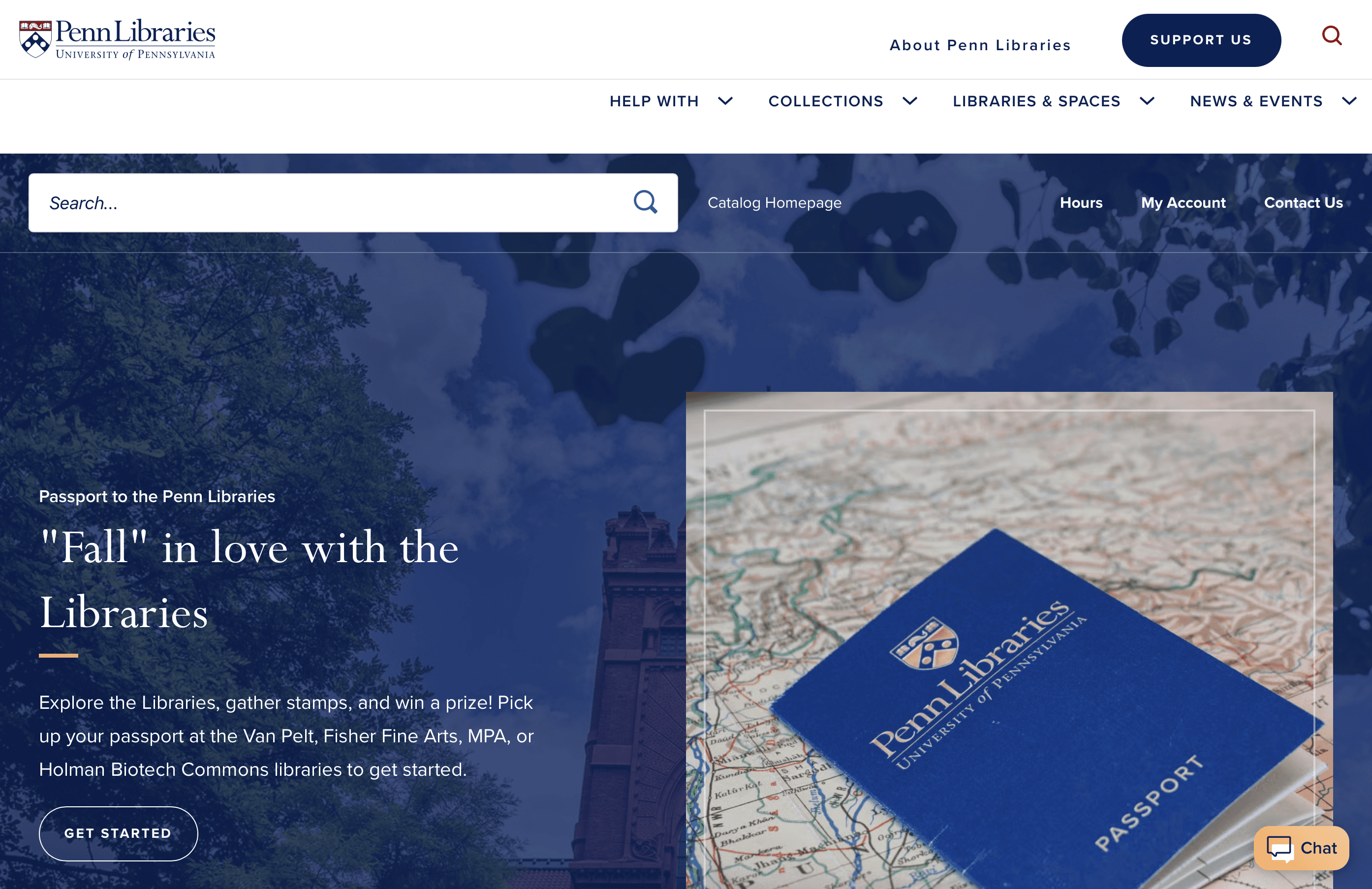
Advantage
# Search Functionality
# User-Friendly Navigation
# Integration with Academic Tools
Key Insights
📚
Terminology was overly academic or vague, confusing many users.
🔍
The Bento search bar was often mistaken for a full-site search.
😵💫
Overwhelming navigation options led to hesitation and task failure.
🙋♂️
The search bar and staff support became fallbacks when users felt lost.
Key Decision
🖥️
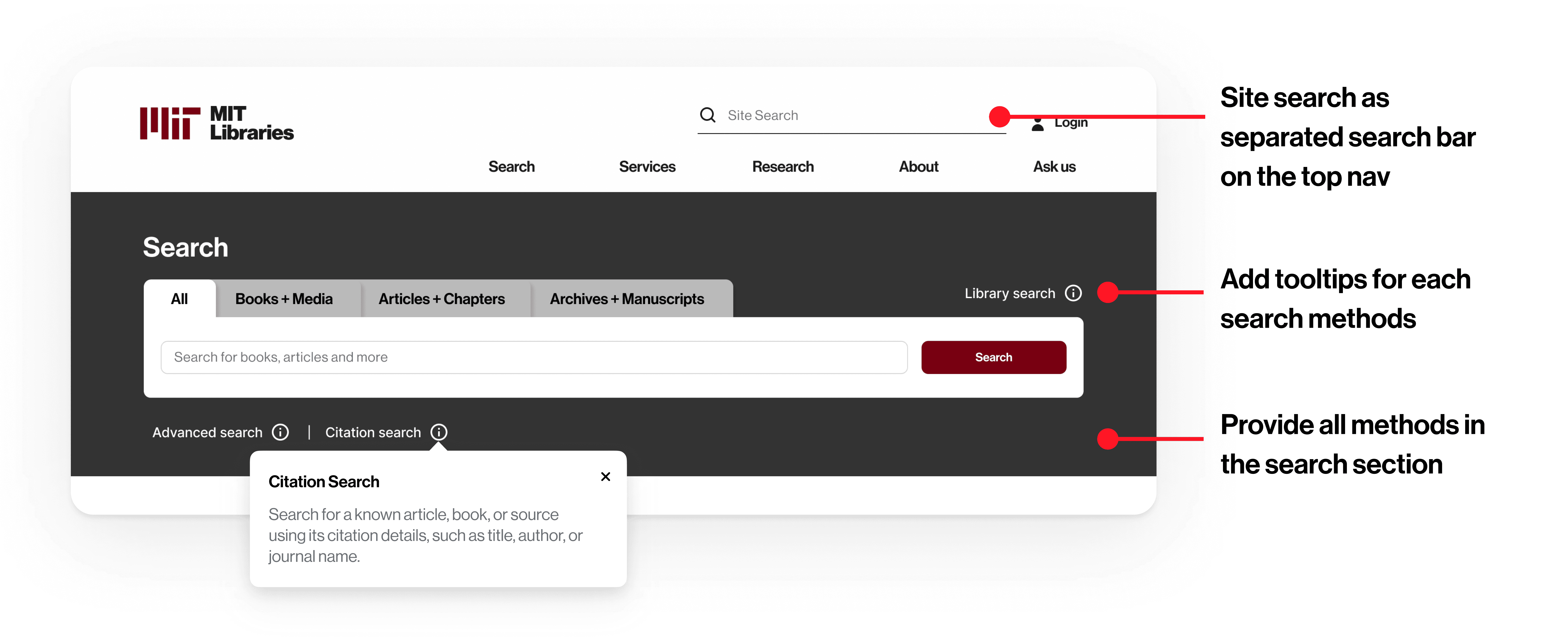
Provide separate, clearly labeled site search and catalog search on the homepage.
👀
Condense navigation categories to reduce overload and improve scannability.
🏷️
Use clear, task-oriented language and improve labeling.
🔎
Make research support, hours, and help tools easier to find.
Information Architecture
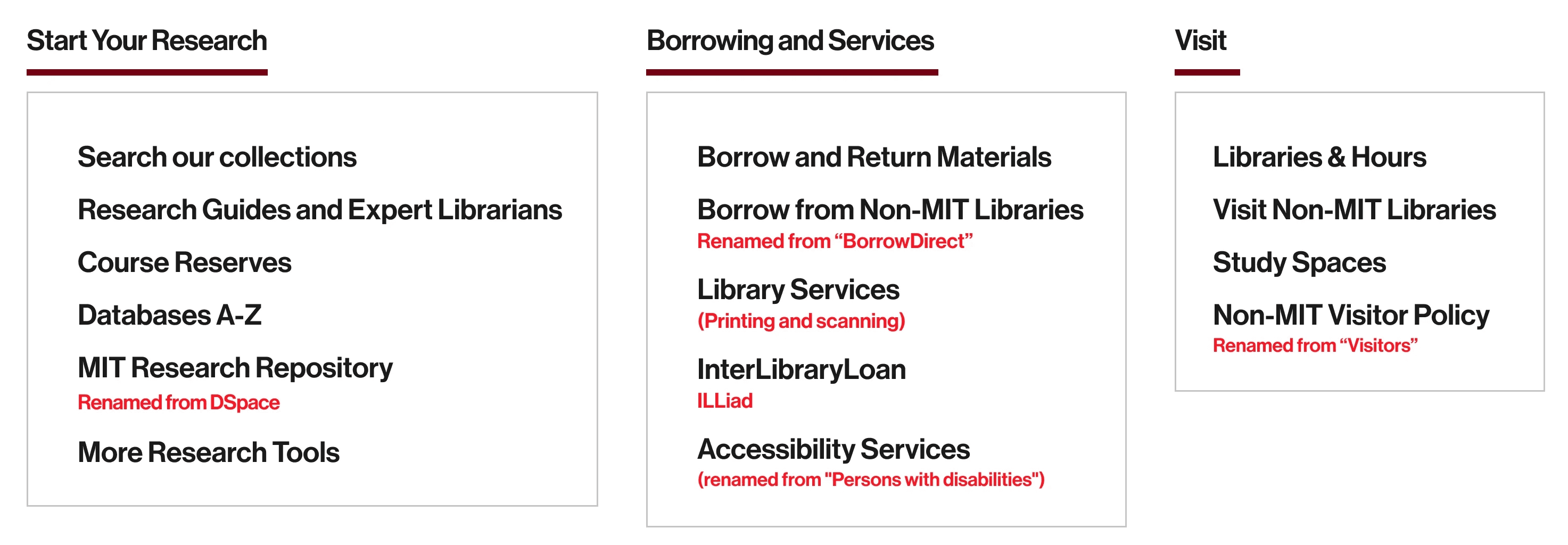
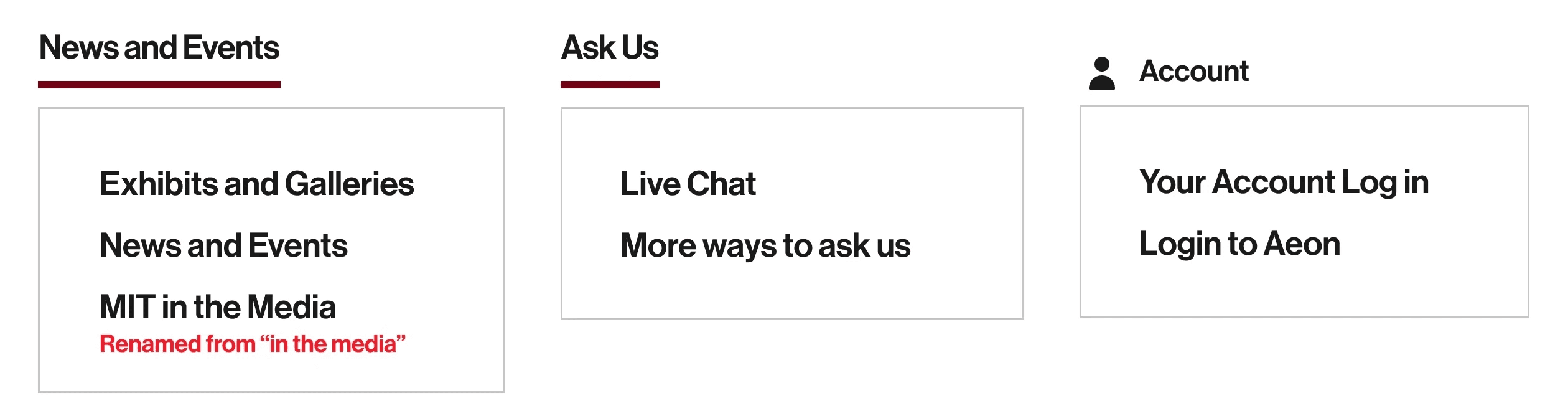
Based on user research, we developed 2 distinct information architectures (IA) models to reflect different user mental models. These two models reflect two ways users may approach a library website: action-first or category-first.
Topical IA
was inspired by patterns seen in competitor sites and organized navigation into familiar categories like search, services, and research.
Overall success rate
Task-Based IA
was informed by card sorting insights—grouping content by user goals such as finding services, conducting research, or visiting the Libraries.
Overall success rate
Current IA
Current Library Website’s Information Architecture
Topical IA
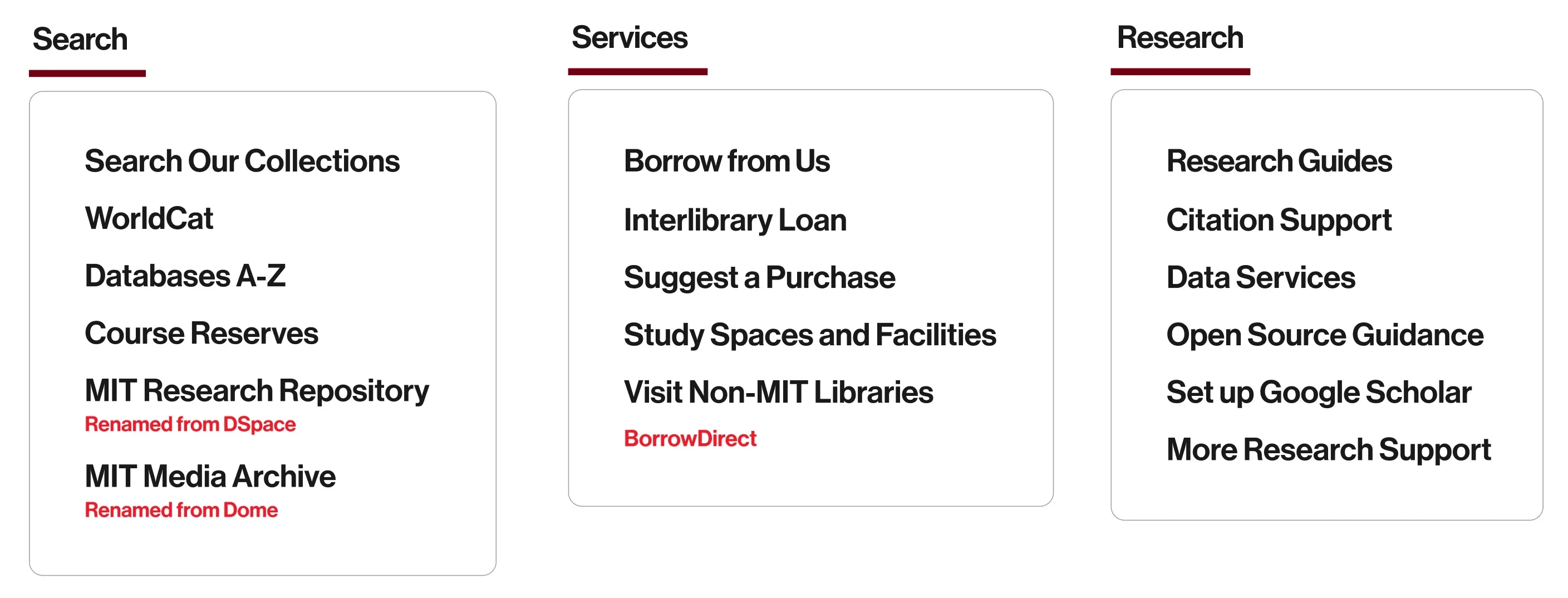
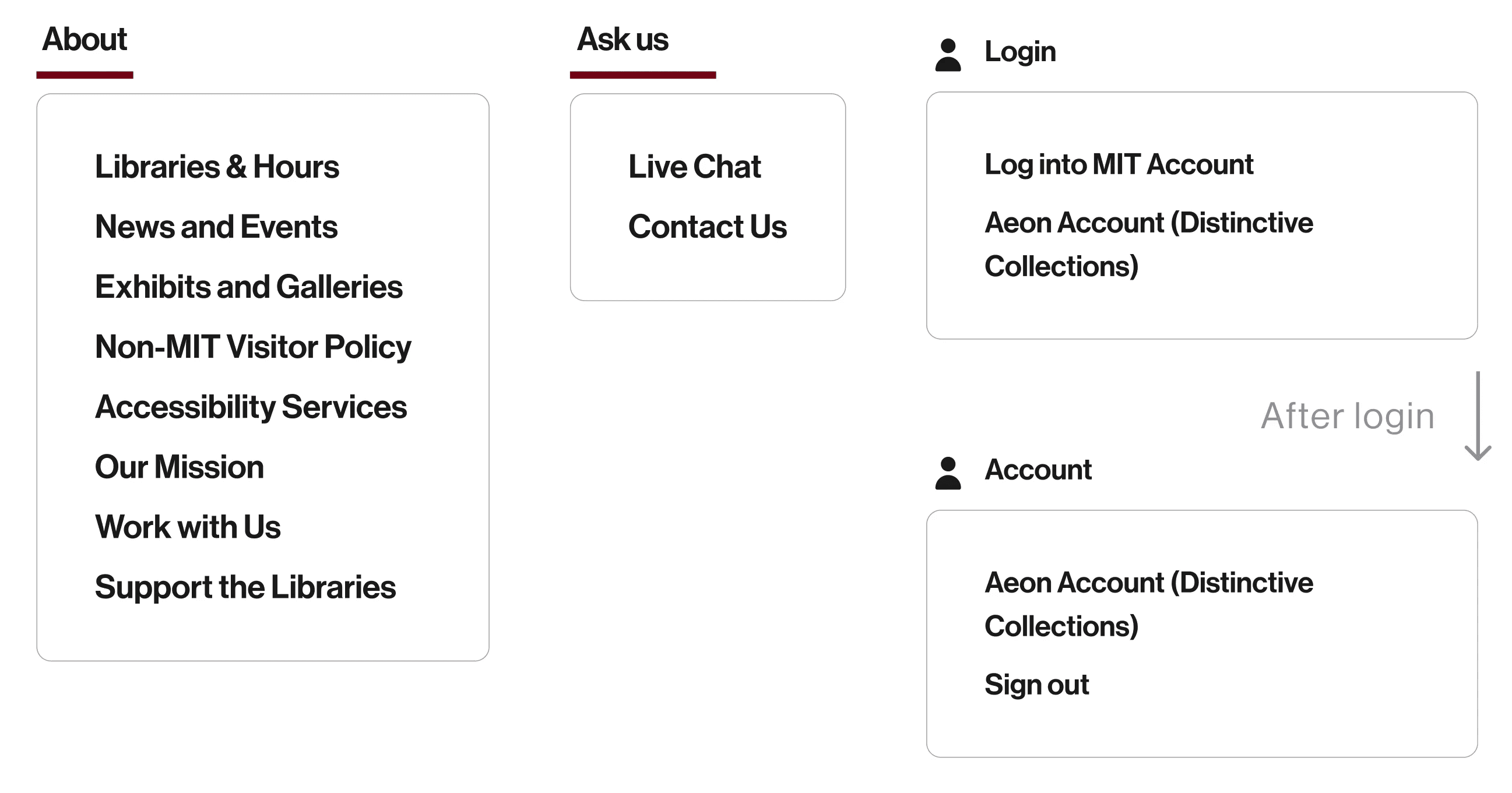
Task-Based IA
Homepage
A variety of homepage designs were presented to the client to offer a range of possibilities for them to consider. Different components from each design version could then be picked and combined in the client’s future website redesign process and relevant stakeholder conversations.
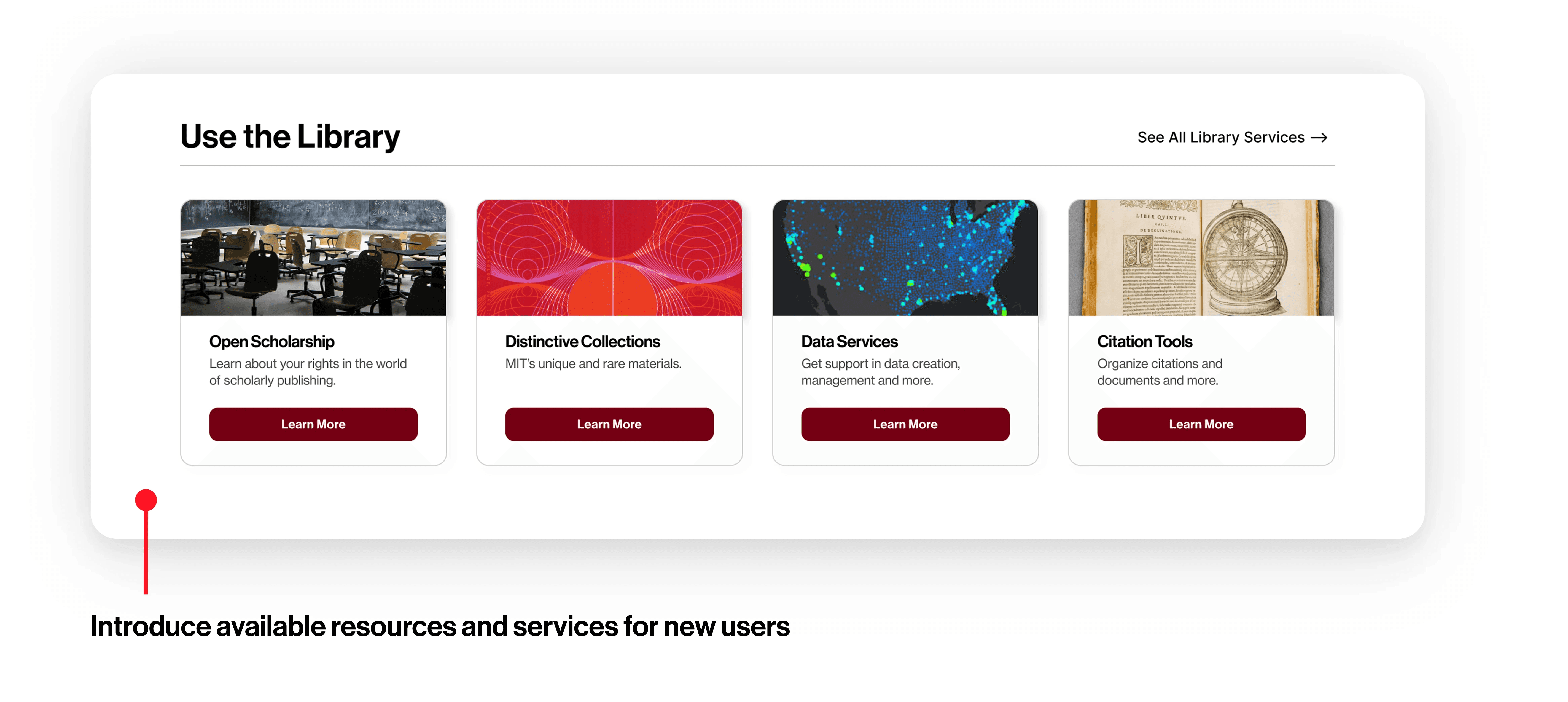
We created 4 homepage prototypes:
Ver 1
Ver 2
Ver 3
Ver 4
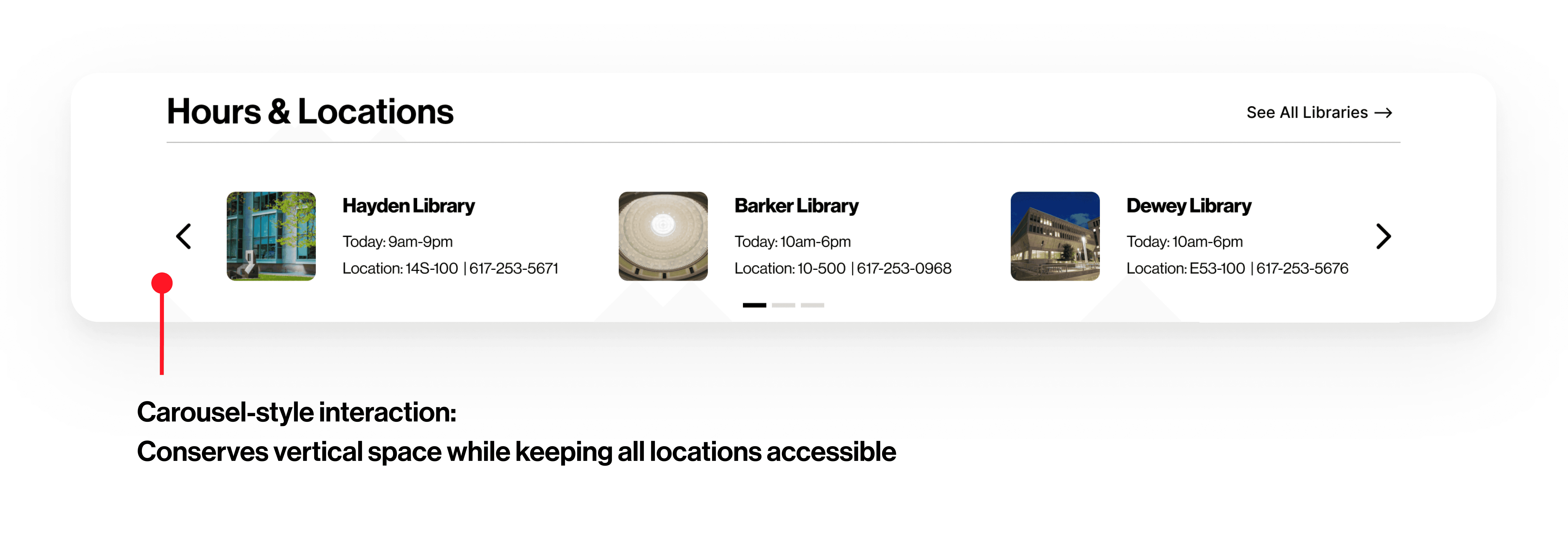
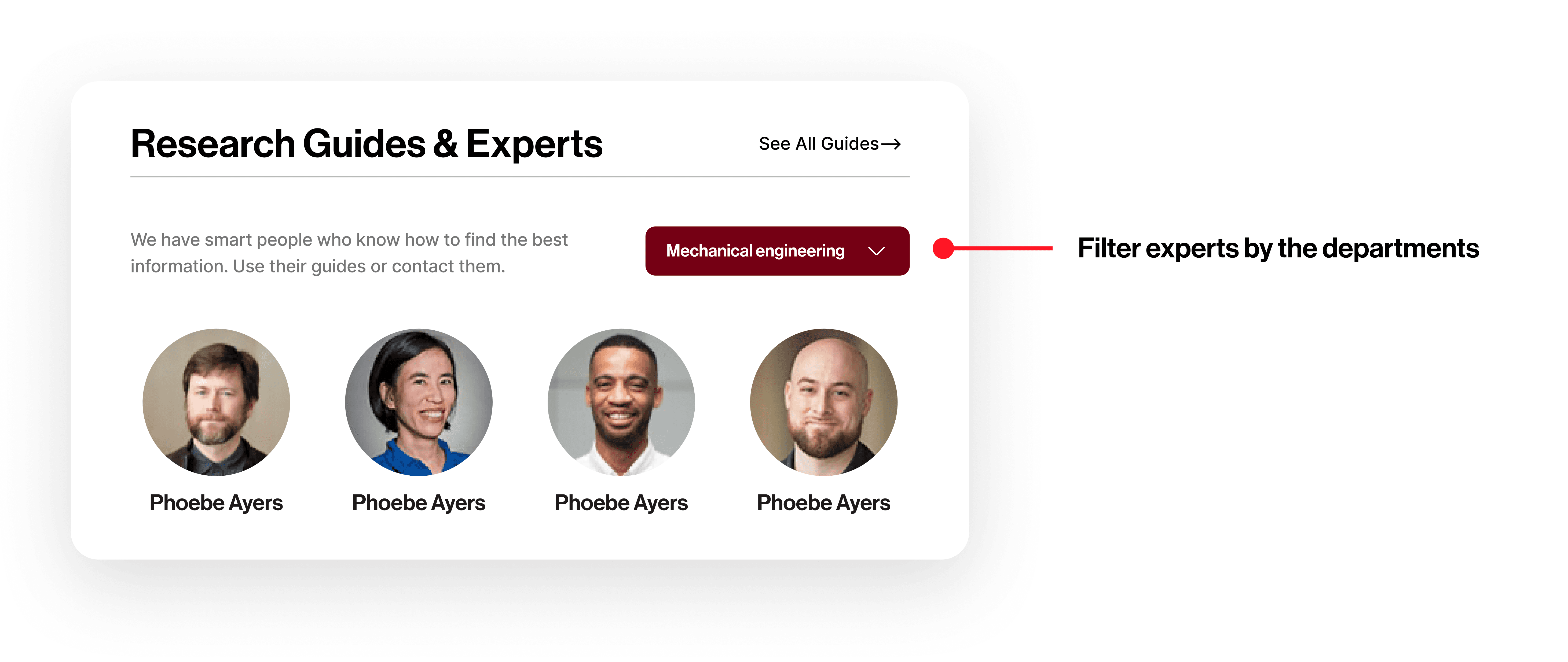
Interactive carousel, minimal event section, and expert filtering. Designed by me
Version 1’s Video Prototype
Client Feedback
Our initial designs sparked valuable feedback from the MIT Libraries team. They appreciated the variety across all four concepts—especially our different approaches to search (site vs. catalog) and pathways to services or research experts.
We also received thoughtful suggestions around language clarity, such as reconsidering terms like “Library Services” and “liaisons,” which may not be familiar to all users. These insights directly shaped our final IA and design recommendations.
Impact
MIT Libraries were excited by the variety of homepage layouts and IA models we presented. They appreciated the fresh perspectives on structuring a library website and plan to conduct further usability testing to validate the designs. The team also intends to share elements from all four homepages with internal stakeholders as they move forward with their own redesign.
Our redesigns of clearer, streamlined homepage layouts and revised IA resulted in:
Navigation success and clarity
Increased confidence using search tools
Retrospective
Entering an unfamiliar domain, I spent time early on learning the context of academic libraries to ensure my research was relevant and meaningful. I led card sorting, tree testing, and A/B testing, which helped me grow in planning, analysis, and applying insights to design decisions. I also learned that strong collaboration—especially in the later stages—makes a major difference. As our team improved how we divided tasks, the process became smoother and more enjoyable.