RESY | Food Tech
RESY | Food Tech
Epicurean Design System: A Recipe for RESY's Cross-Functional Consistency
Epicurean Design System: A Recipe for RESY's Cross-Functional Consistency
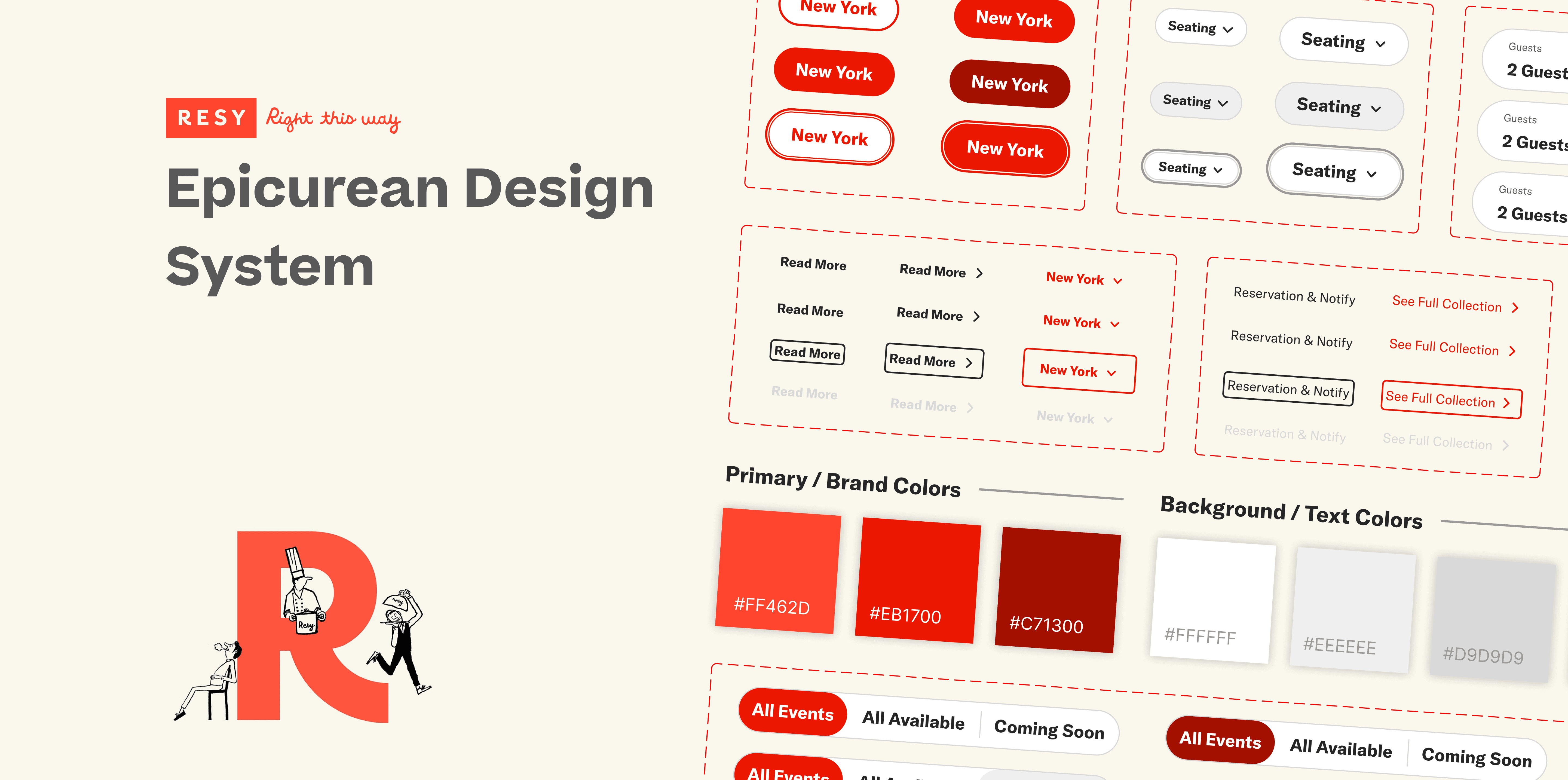
Our team of 3 designers built Epicurean, a comprehensive design system for Resy. The goal was to unify Resy’s visual language, improve accessibility and working efficiency. The system establishes shared foundations, reusable components, and scalable patterns, supported by a Figma UI kit and documented guidelines.
Our team of 3 designers built Epicurean, a comprehensive design system for Resy. The goal was to unify Resy’s visual language, improve accessibility and working efficiency. The system establishes shared foundations, reusable components, and scalable patterns, supported by a Figma UI kit and documented guidelines.
Design System
Design System
UI Kit
UI Kit
Design Token
Design Token
My Role
Website Deconstruction
UI Kit Design
Design System
Documentation
Team
UI Designer
Editor
Facilitator
Project Manager
Deliverables
Deconstruct Resy
Epicurean UI Kit
Epicurean Design System
Timeline
2025.08 - 2025.12
Contributions
How I Seasoned Epicurean Design System?
How I Seasoned Epicurean Design System?
Deconstructed the current website 🖥️
Identifying Inconsistent visuals and usability issues for area of improvements.
Identifying Inconsistent visuals and usability issues for area of improvements.
Set up accessible color token 🎨
Establish a color variable system in Figma that meet WCAG-compliant standards.
Establish a color variable system in Figma that meet WCAG-compliant standards.
Built reusable components 🔄
Created reusable buttons, filters, and text links to improve the visual consistency.
Created reusable buttons, filters, and text links to improve the visual consistency.
Created scaleable patterns 📈
Built modals and navigations as patterns which increase efficiency and flexibility.
Built modals and navigations as patterns which increase efficiency and flexibility.
01 Project Overview
01 Project Overview
Context
Who is Resy? What is Epicurean Design System?
Who is Resy? What is Epicurean Design System?
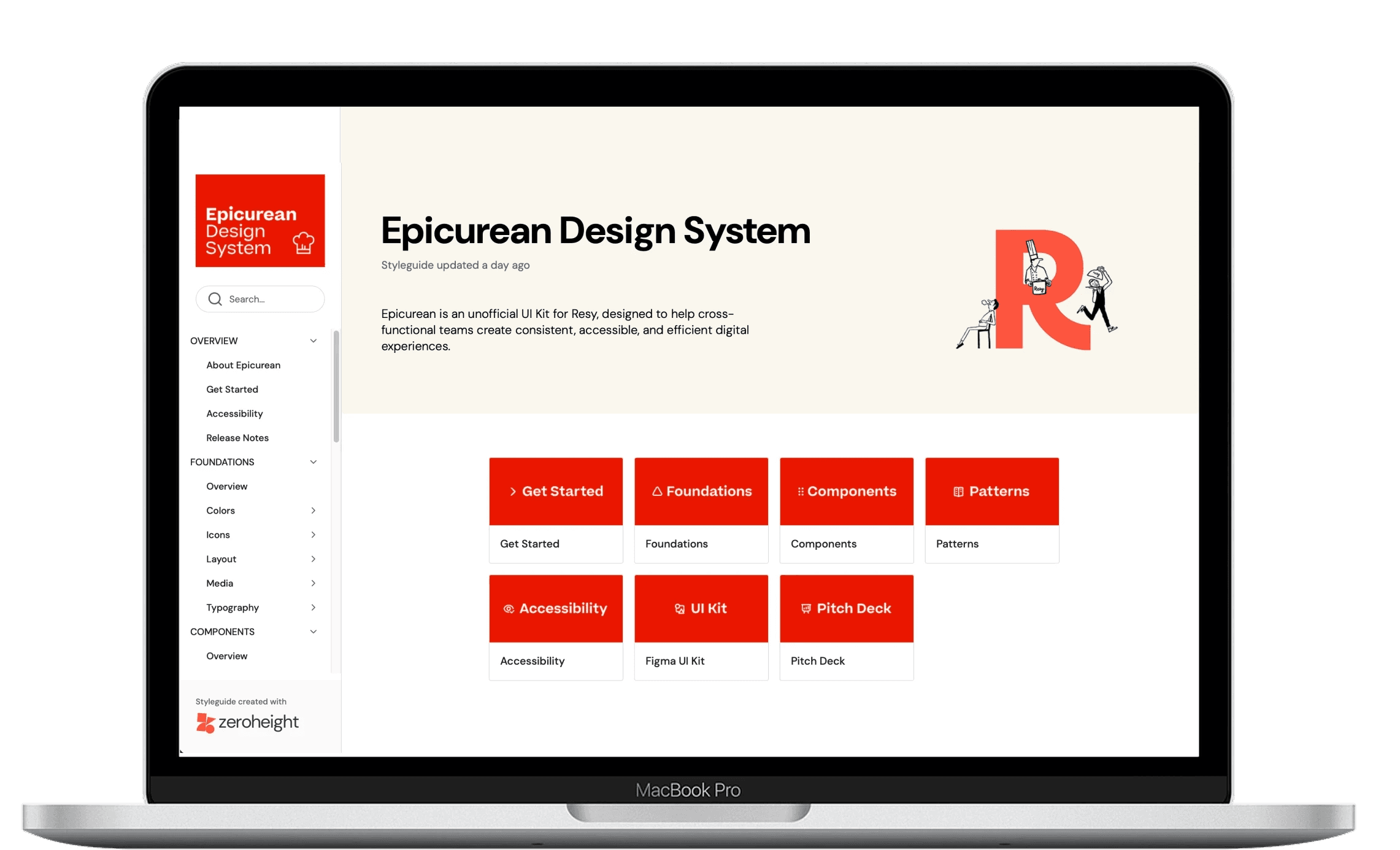
Resy is a well-known platform connecting diners to restaurants and Epicurean is the backbone of Resy, a cohesive design system that establishes a shared design language and clear guidelines.
Resy is a well-known platform connecting diners to restaurants and Epicurean is the backbone of Resy, a cohesive design system that establishes a shared design language and clear guidelines.
The Problem
Why Resy Needs Epicurean Design System?
Why Resy Needs Epicurean Design System?
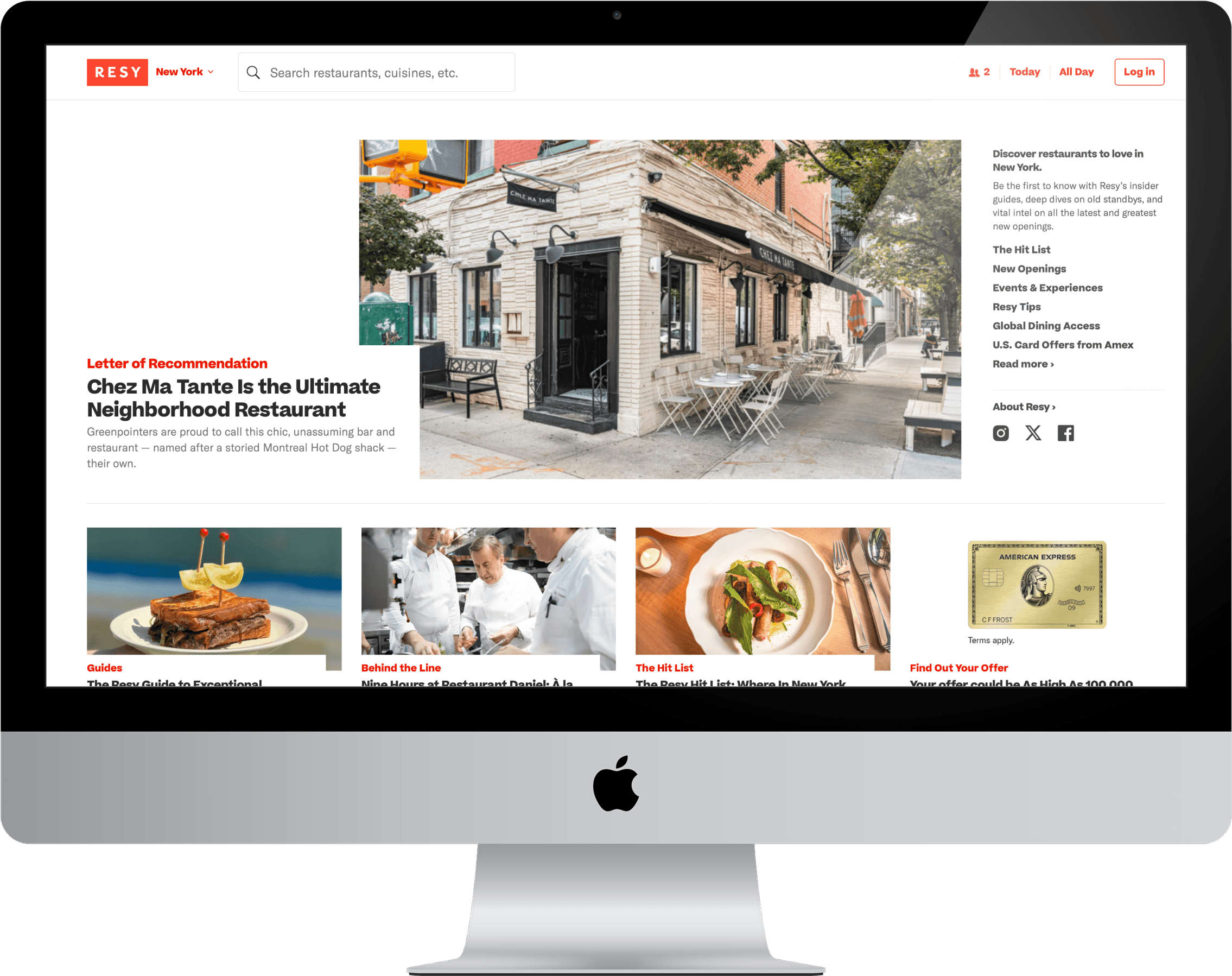
From a comprehensive website audit on Resy, we identified visual inconsistency, unclear interaction patterns, and accessibility gaps. These problems created growing friction across design and development teams. During the website audit, I learned that deconstruction is not just about inventory, it expose what the problems are and how can I make better design decisions with intention.
From a comprehensive website audit on Resy, we identified visual inconsistency, unclear interaction patterns, and accessibility gaps. These problems created growing friction across design and development teams. During the website audit, I learned that deconstruction is not just about inventory, it expose what the problems are and how can I make better design decisions with intention.
Main Problems
Inconsistent Visuals
Typography, colors, spacing, and icons clash across pages with no unified rhythm or usage.
Typography, colors, spacing, and icons clash across pages with no unified rhythm or usage.
Undefined Component Hierarchy
No clear system for when to use specific actions, leaving button prominence and flow guidance
No clear system for when to use specific actions, leaving button prominence and flow guidance
Accessibility Issues
Buttons, controls, and inputs lack consistent visual to show different states.
Buttons, controls, and inputs lack consistent visual to show different states.
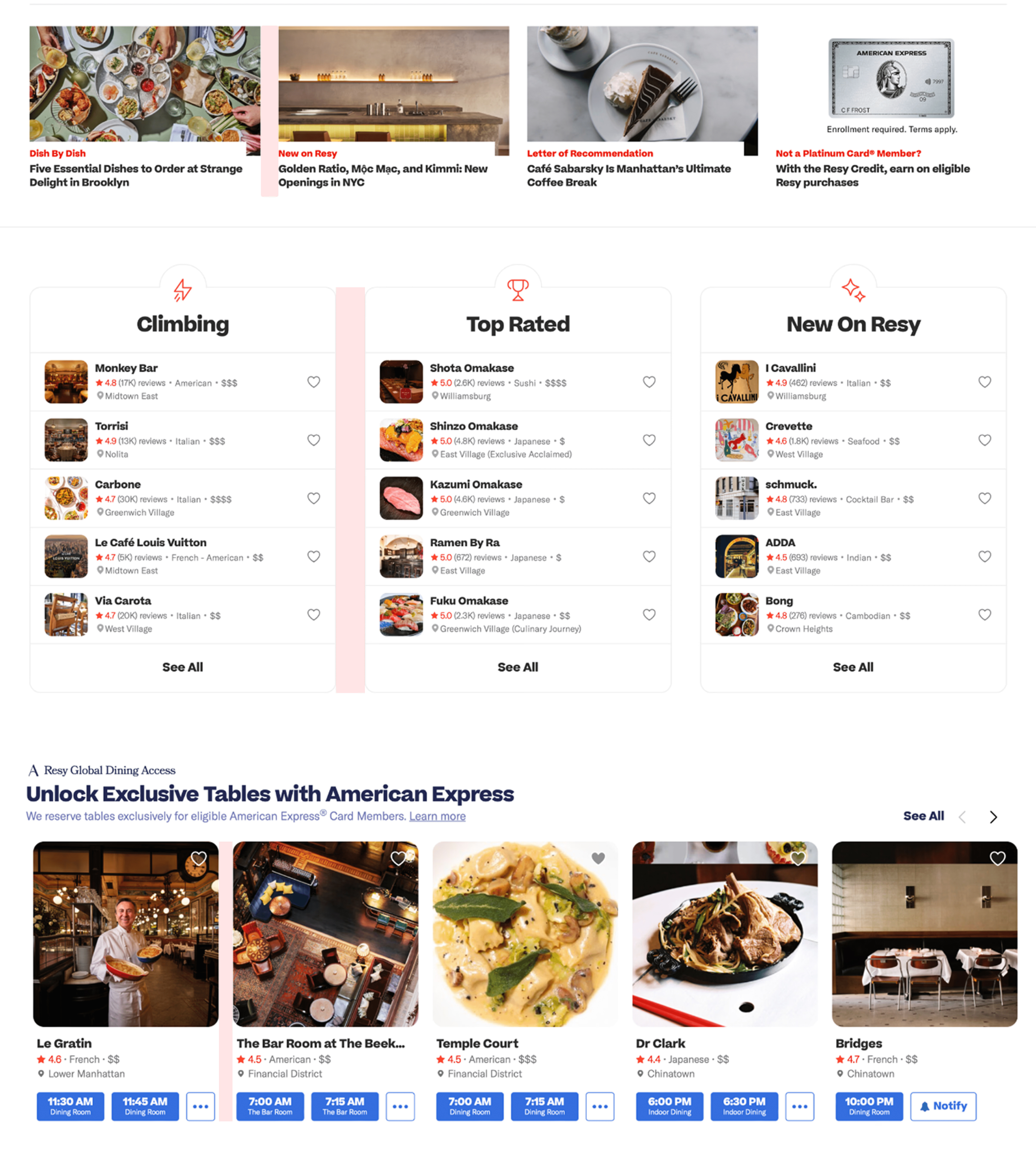
Current homepage
Current homepage
The Solution
How Can Epicurean Solve these Problems?
How Can Epicurean Solve these Problems?
Key Improvements
Consistent Visuals
Our reusable UI kit guarantees visual cohesion and consistent usage across the product ecosystem.
Our reusable UI kit guarantees visual cohesion and consistent usage across the product ecosystem.
Common Language
Clear documentation and guidelines bridge communication across designers, engineers, and PMs.
Clear documentation and guidelines bridge communication across designers, engineers, and PMs.
Better Accessibility
The pre-established style system ensures all assets meet WCAG compliance standards.
The pre-established style system ensures all assets meet WCAG compliance standards.
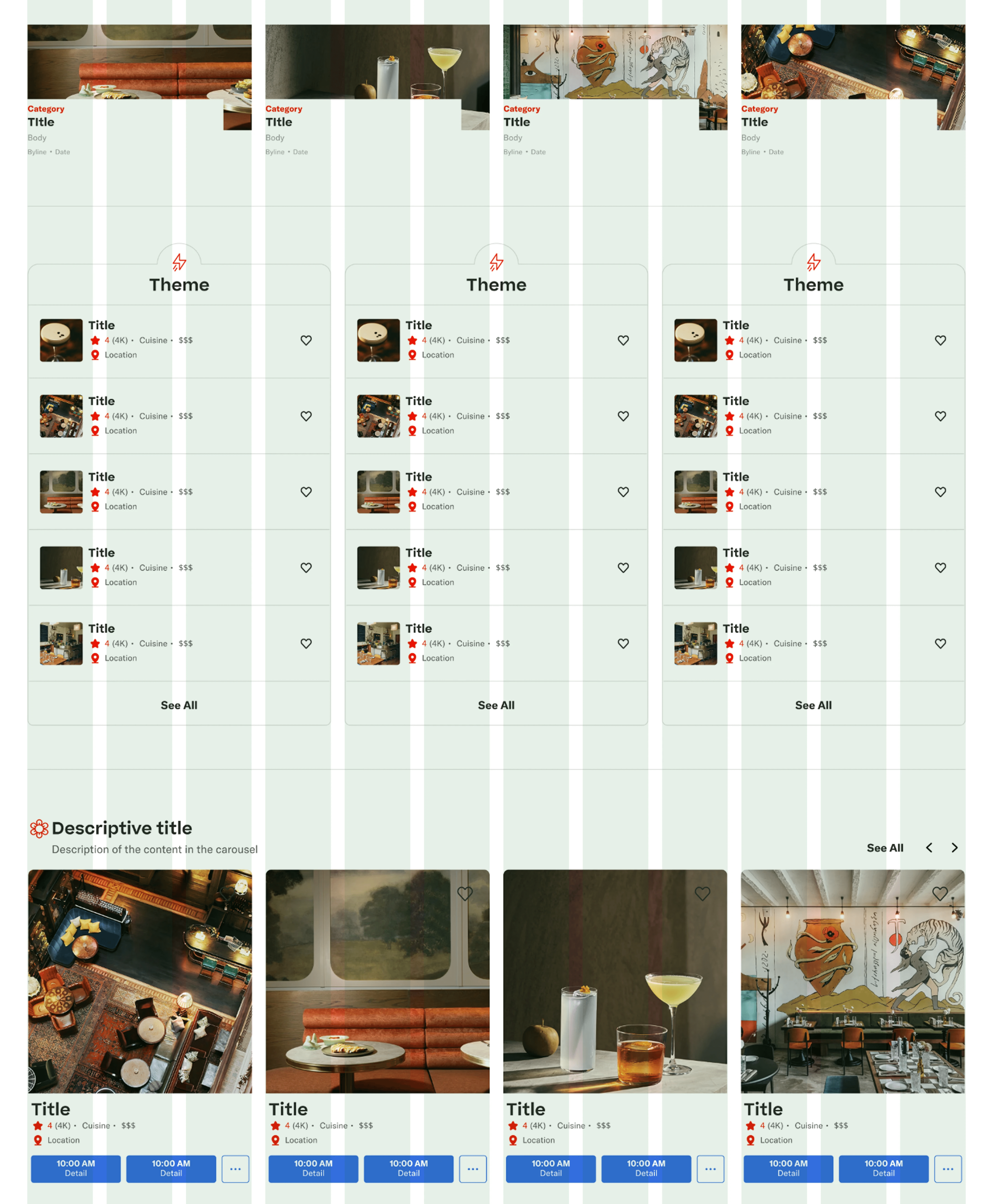
Redesigned homepage with grid system
Redesigned homepage with grid system
Introduction
Introducing the Epicurean Design System
Introducing the Epicurean Design System
Epicurean Design System is an unified visual, interaction, and accessibility framework built for Resy. It includes the clear documentation and essential ingredients: foundations, components, and patterns, to create a cohesive and accessible experience for Resy.
Epicurean Design System is an unified visual, interaction, and accessibility framework built for Resy. It includes the clear documentation and essential ingredients: foundations, components, and patterns, to create a cohesive and accessible experience for Resy.
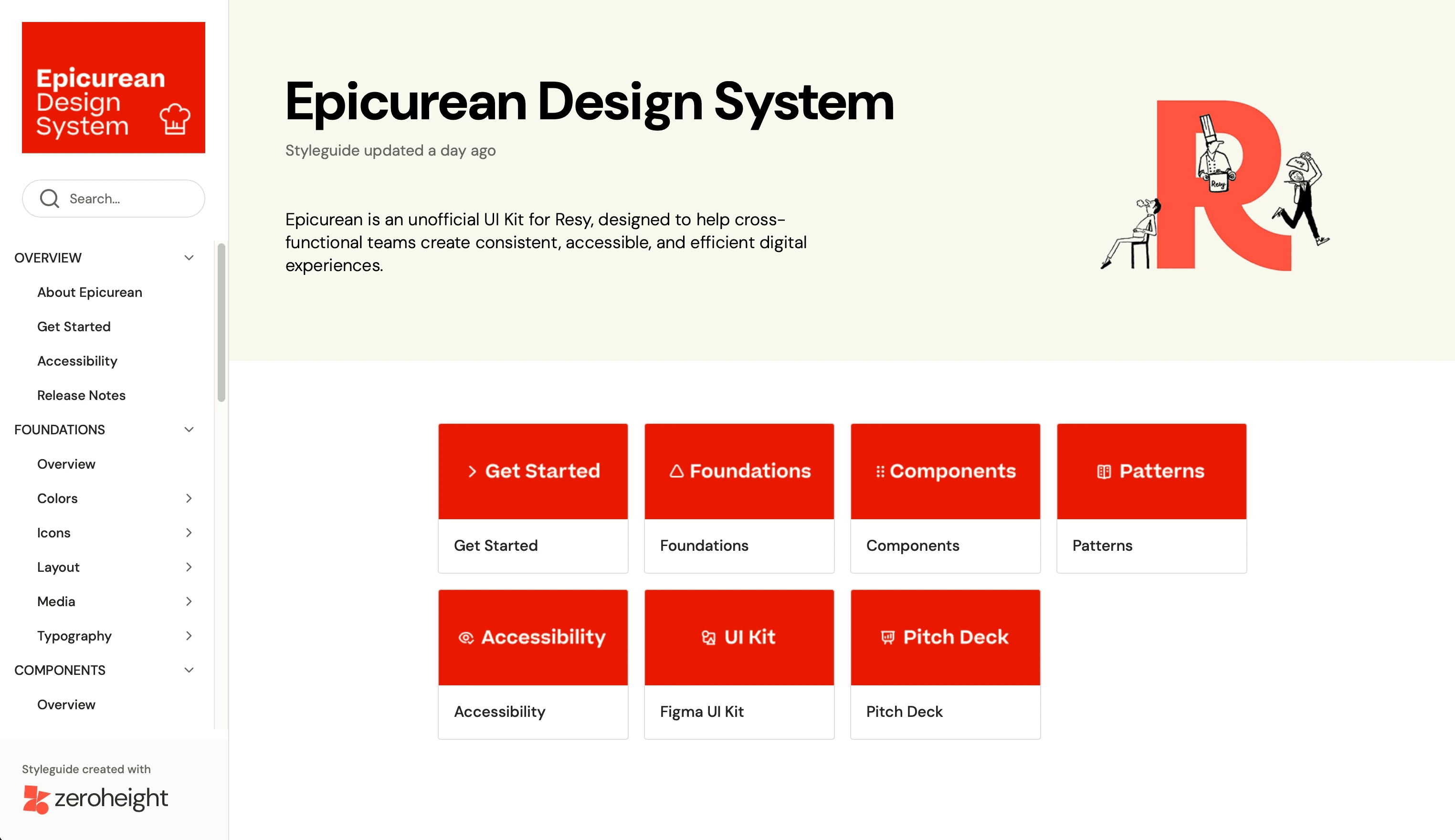
A clear documented and guidelines to bridge designers, developers and PMs.
A clear documented and guidelines to bridge designers, developers and PMs.
University of Penn
A library of foundations, components, and patterns that ensure visual conhesion.
A library of foundations, components, and patterns that ensure visual conhesion.
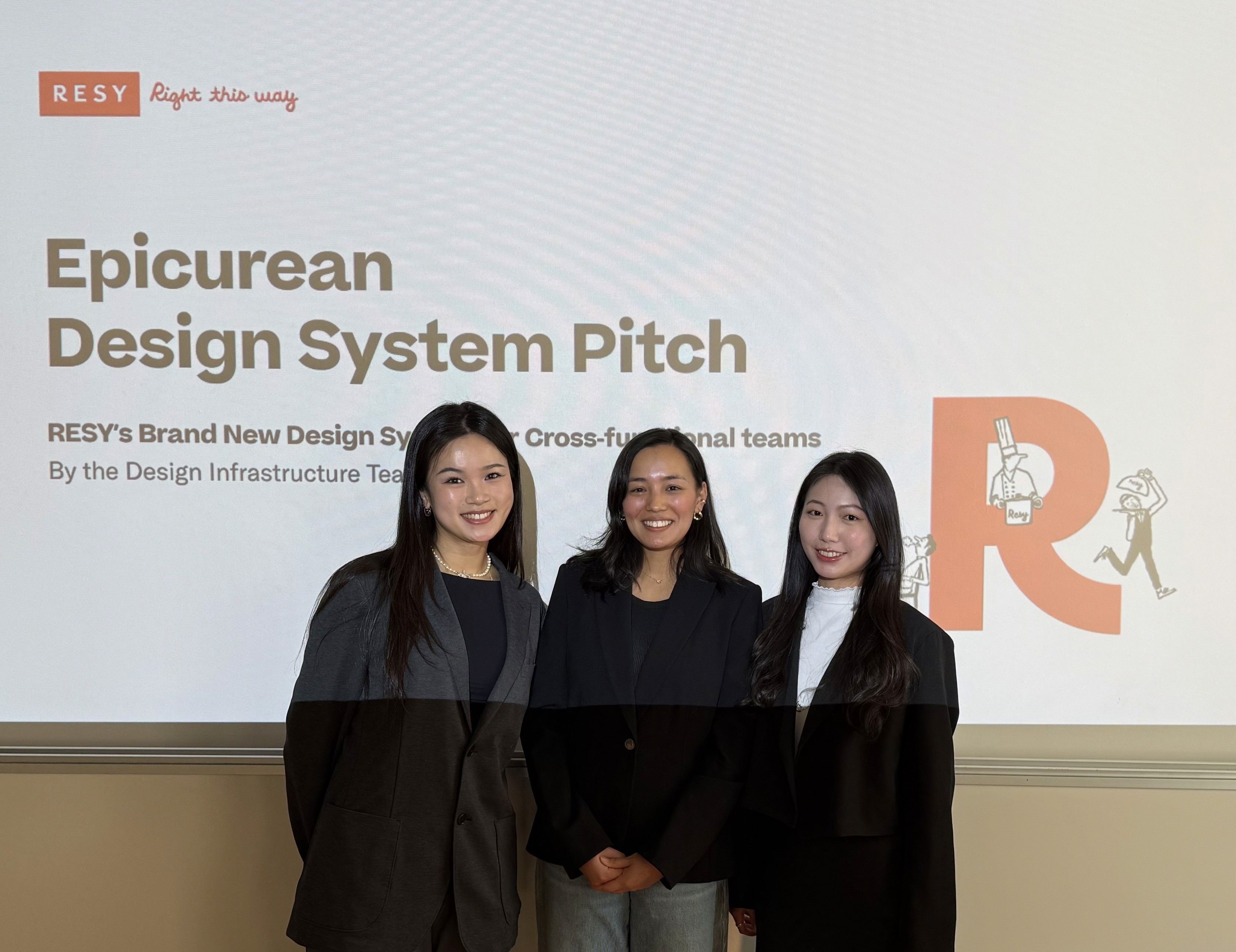
Want to learn more about Epicurean Design System? Here is our Pitch Deck.
Want to learn more about Epicurean Design System? Here is our Pitch Deck.
02 The Process
02 The Process
Project Plan
How We Created the Epicurean Design System?
How We Created the Epicurean Design System?
1
Defined Brand Values
Set up core principles that align with Resy's brand identity and vision.
2
Built the Figma UI Kit
Established style system and component library that can ensure accessibility.
3
3
Created Documentation
Built a design system website that documenting guidelines and usages of all elements.
Built a design system website that documenting guidelines and usages of all elements.
1
Defined Brand Values
Set up core principles that align with Resy's brand identity and vision.
2
Built the Figma UI Kit
Established style system and component library that can improve working efficiency.
Step 1 Defined Brand Values
Setting the Table: The Principles Behind Epicurean
Setting the Table: The Principles Behind Epicurean
We set up 5 principles that align with Resy's brand identify to guide future design decisions. From this process, I learned that strong brand values are what turn a design system from a UI library into a decision-making framework.
We set up 5 principles that align with Resy's brand identify to guide future design decisions. From this process, I learned that strong brand values are what turn a design system from a UI library into a decision-making framework.
Efficiency
Accelerate feature delivery with reusable assets.
Accelerate feature delivery with reusable assets.
Accessibility & Inclusivity
Accelerate feature delivery with reusable assets.
Accelerate feature delivery with reusable assets.
Consistency
Ensure a cohesive user experience and reduce decision fatigue.
Ensure a cohesive user experience and reduce decision fatigue.
Transparency & Clarity
Foster trust and ease of use through clear documentation.
Foster trust and ease of use through clear documentation.
Frugality
Minimize waste by prioritizing simplicity and reusability.
Minimize waste by prioritizing simplicity and reusability.
Step 2 Built the Figma UI Kit
Preparing the Ingredients: Building the Figma UI Kit
Preparing the Ingredients: Building the Figma UI Kit
This was the core implementation phase, we focusing on the three main ingredients of Epicurean UI kit: Foundations, Components, and Patterns. Those elements makes the interfaces accessible, consistent, and scalable. From this process, I learned that a strong infrastructure can reduce rework and speed up working efficiency for designers.
This was the core implementation phase, we focusing on the three main ingredients of Epicurean UI kit: Foundations, Components, and Patterns. Those elements makes the interfaces accessible, consistent, and scalable. From this process, I learned that a strong infrastructure can reduce rework and speed up working efficiency for designers.
Foundations
Foundations are the core of the Epicurean. It establishes the cohesive visual identity for Resy's digital platforms and ensure the accessible experience for users. Epicurean includes the following foundations: Colors, Icons, Layout, Media, Typography.
Foundations are the core of the Epicurean. It establishes the cohesive visual identity for Resy's digital platforms and ensure the accessible experience for users. Epicurean includes the following foundations: Colors, Icons, Layout, Media, Typography.
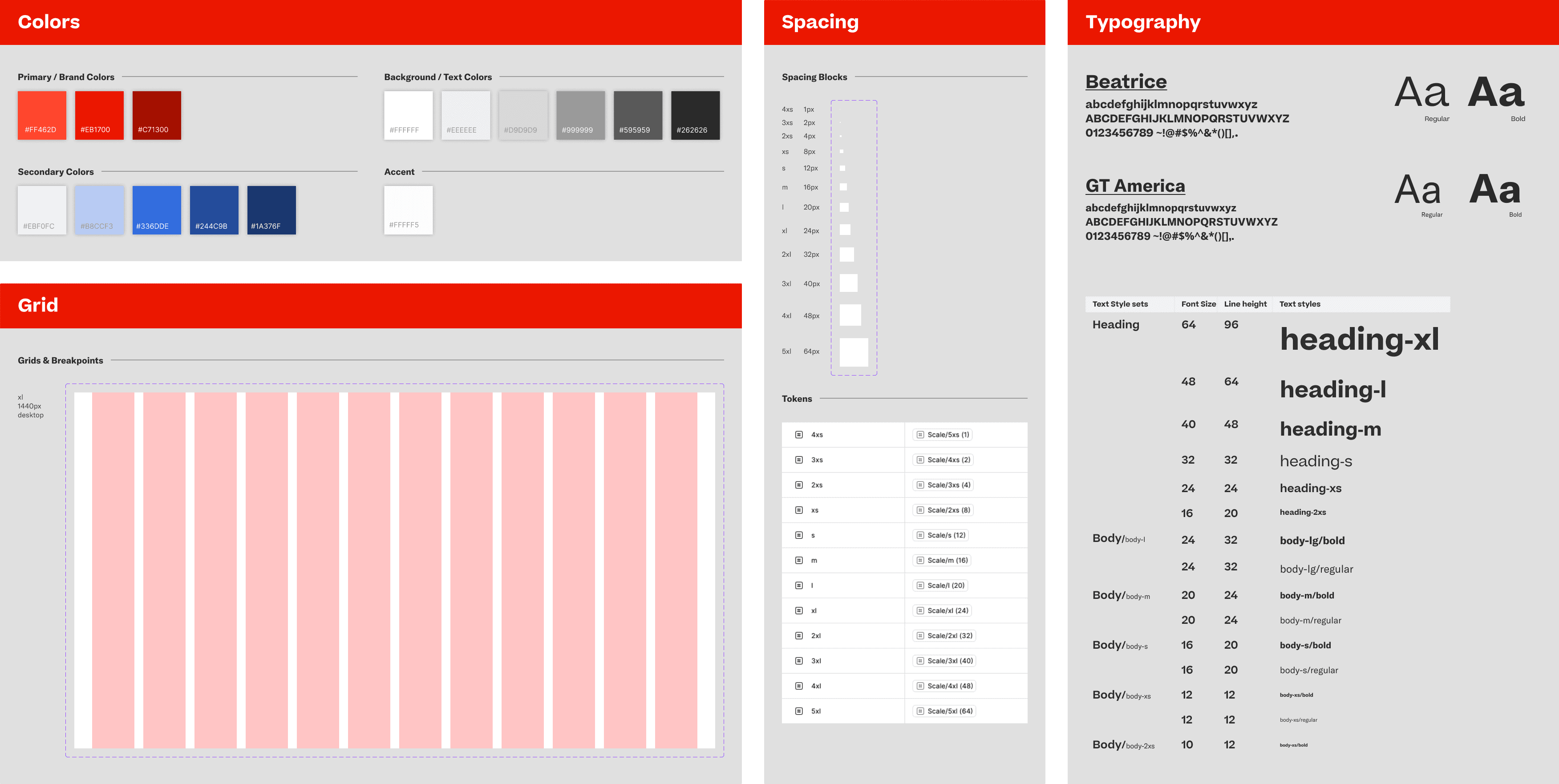
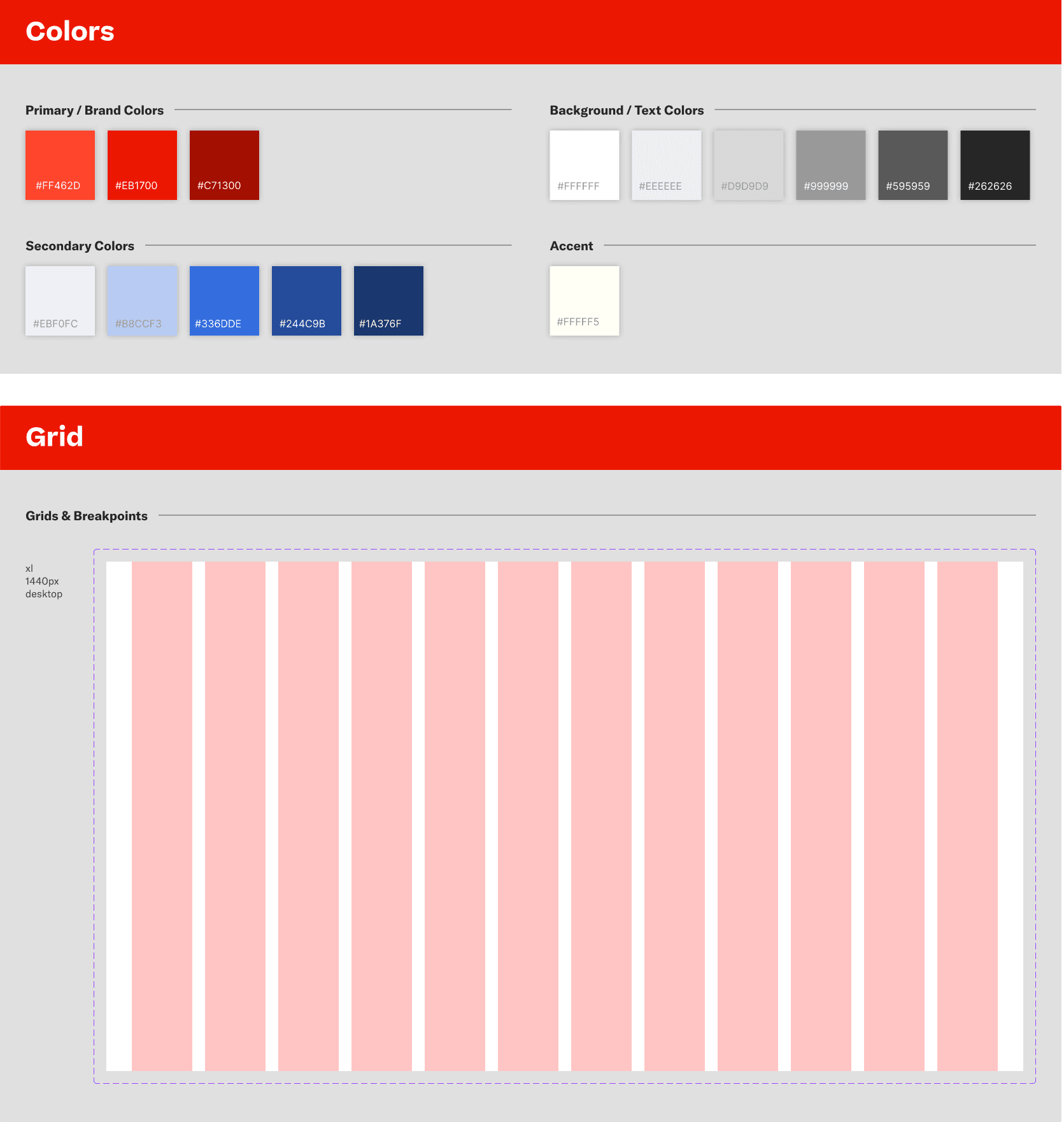
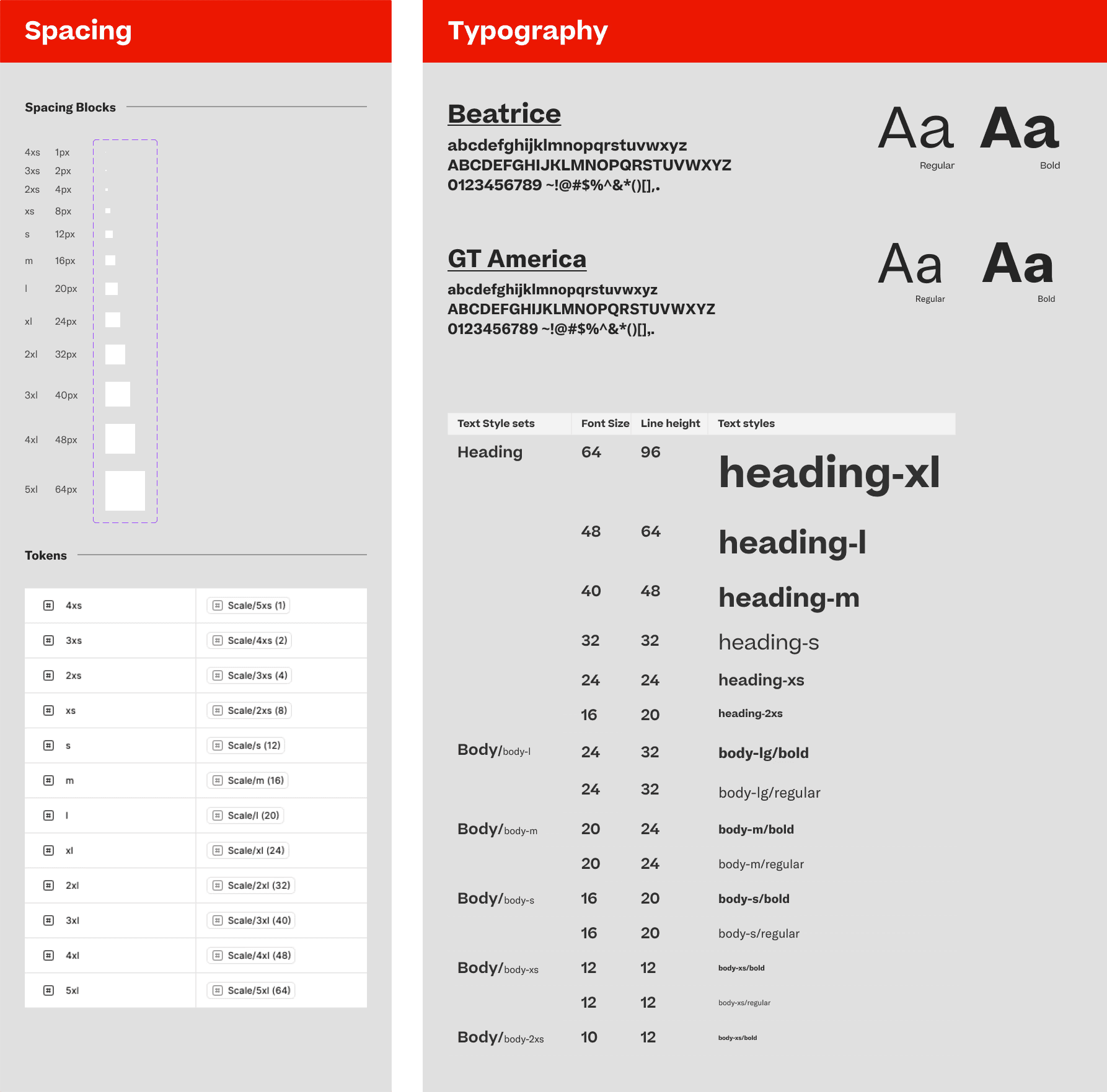
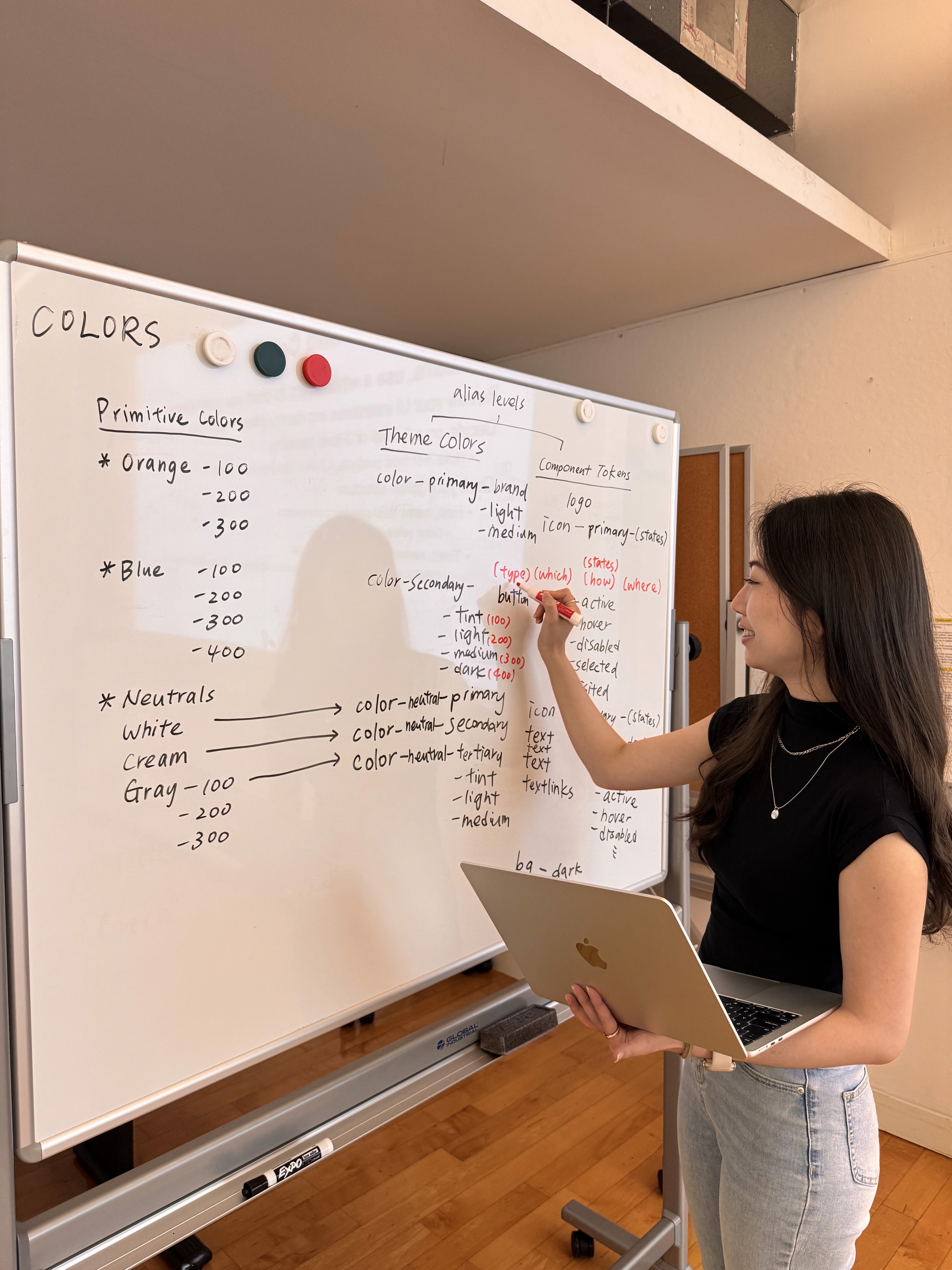
In the groundwork of the system, my main focus was on Colors, the key visual element for Resy's product. While setting up foundational styles was straightforward, I encountered a major difficulty with the color tokens.
In the groundwork of the system, my main focus was on Colors, the key visual element for Resy's product. While setting up foundational styles was straightforward, I encountered a major difficulty with the color tokens.
⚠️ How to create the best design tokens for colors?
⚠️ How to create the best design tokens for colors?
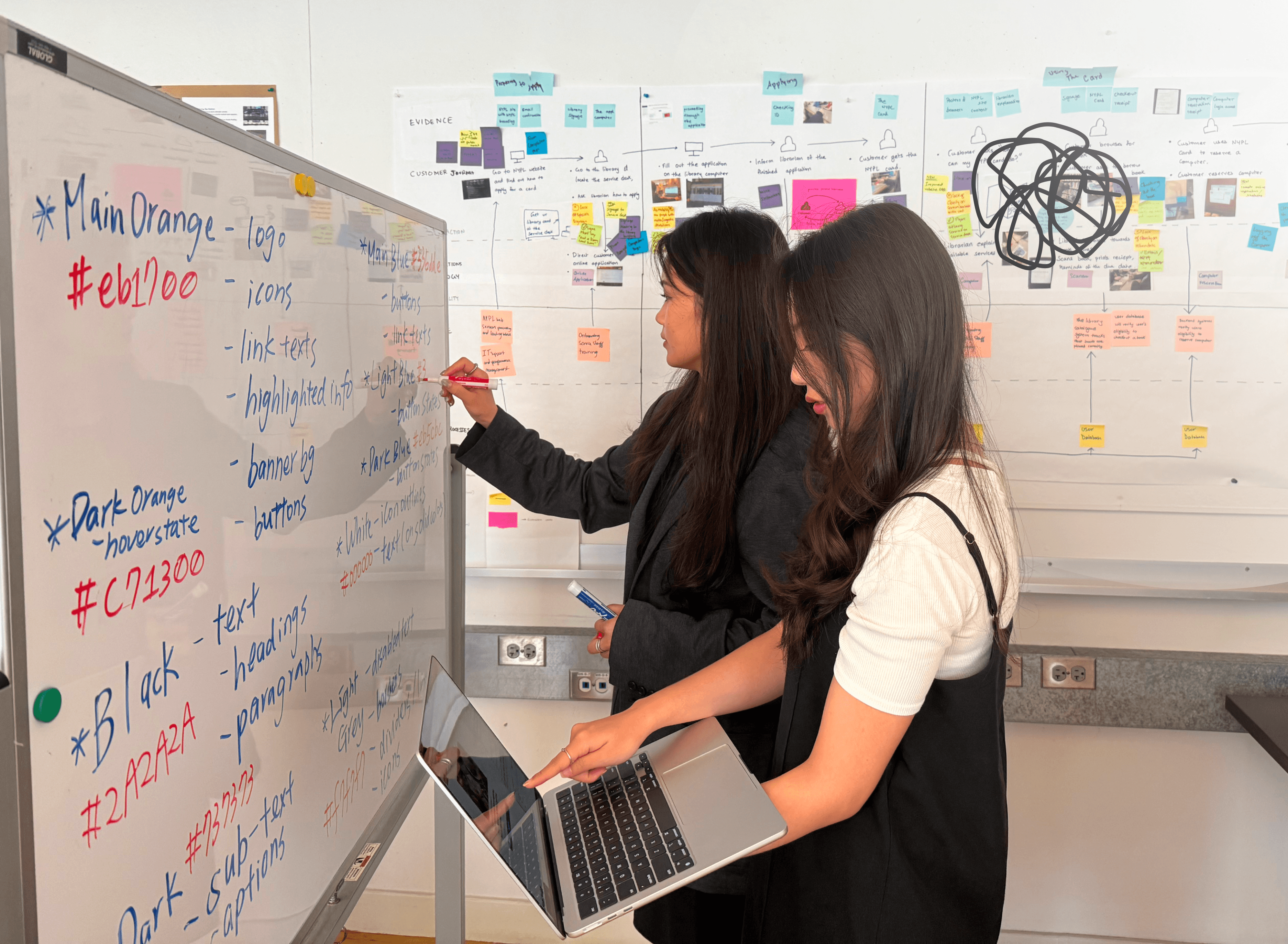
I consumed numerous tutorials and referenced several established design systems, yet I could not derive a single, perfect formula for writing our color tokens.
I consumed numerous tutorials and referenced several established design systems, yet I could not derive a single, perfect formula for writing our color tokens.
💡 How I solved it? Creating a Epicurean-Specific formula.
💡 How I solved it? Creating a Epicurean-Specific formula.
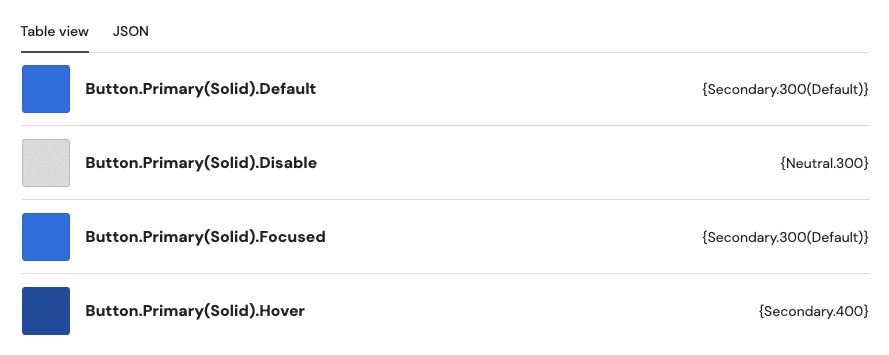
Recognizing that no one-size-fits-all "universal formula" existed, I developed a unique color system with a naming logic for Epicurean. I followed it when I created all color tokens.
Recognizing that no one-size-fits-all "universal formula" existed, I developed a unique color system with a naming logic for Epicurean. I followed it when I created all color tokens.
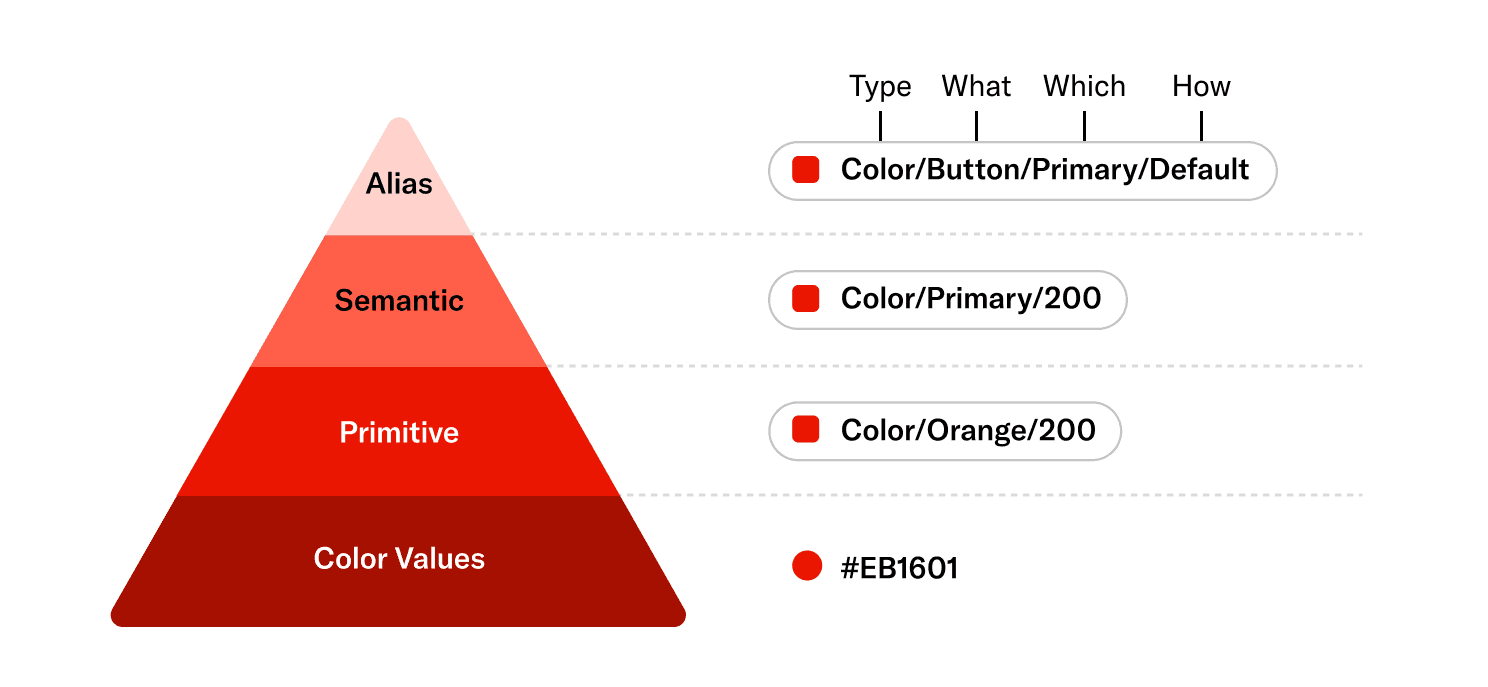
Semantic Colors
Semantic Colors
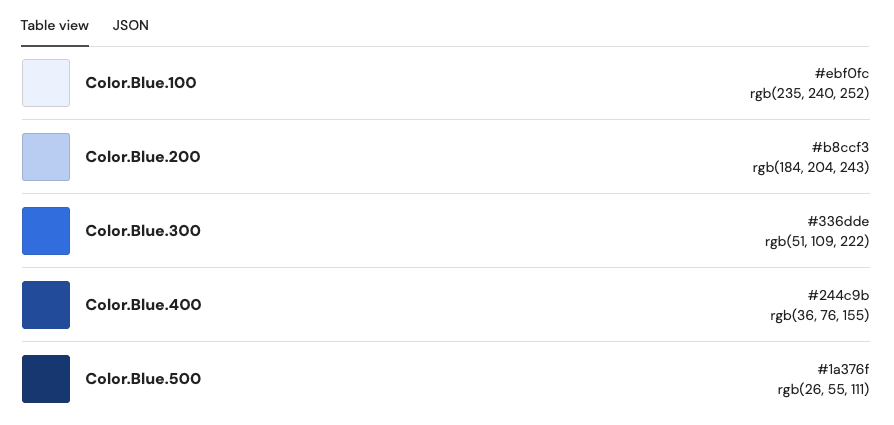
Alias Colors
Alias Colors
✅ How I Made Epicurean More Accessible?
✅ How I Made Epicurean More Accessible?
When setting up the color palette, I ensured all color contrast meets WCAG 2.2 AA level.
When setting up the color palette, I ensured all color contrast meets WCAG 2.2 AA level.
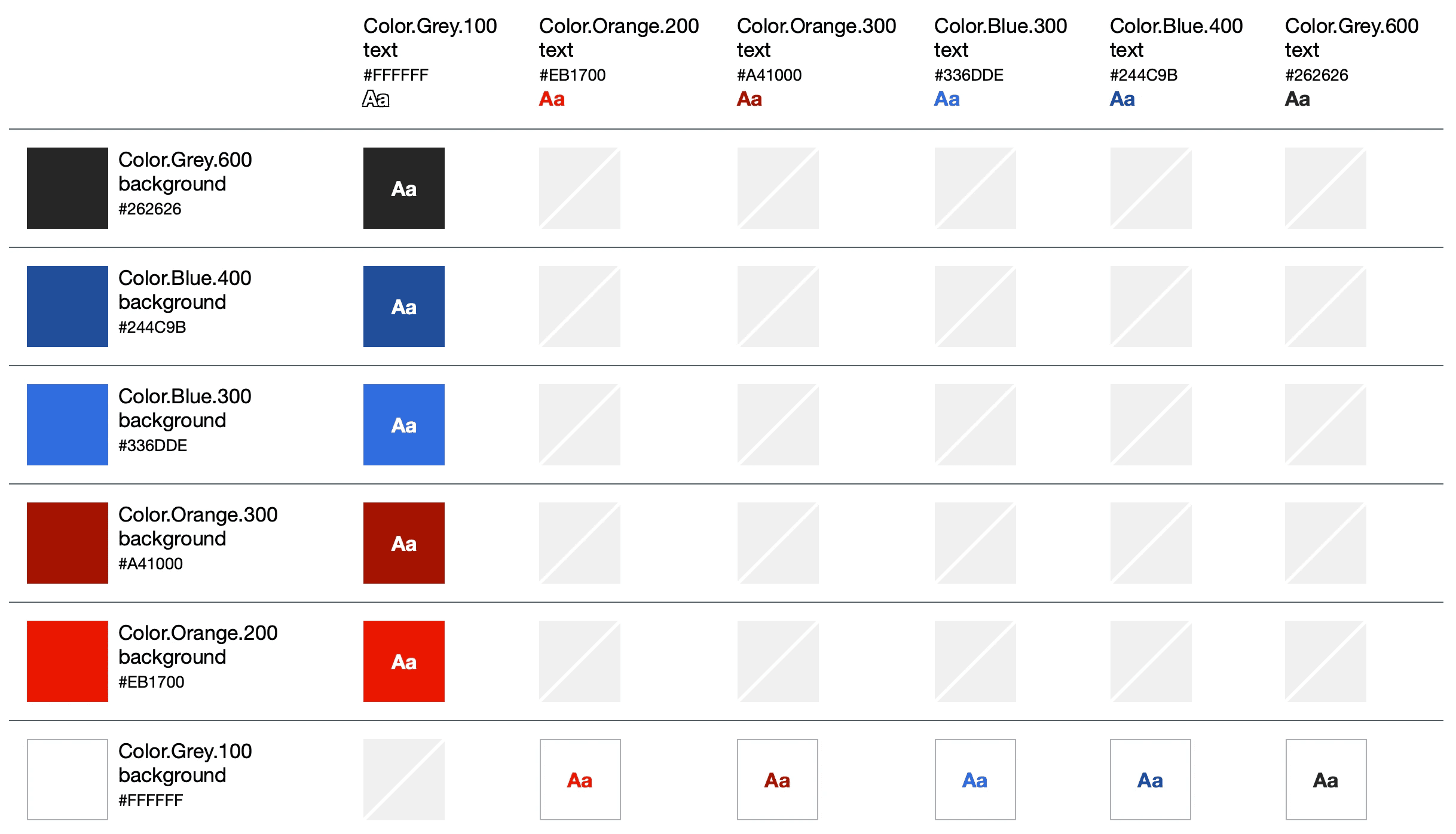
Accessible color combinations for Resy
Accessible color combinations for Resy
Components
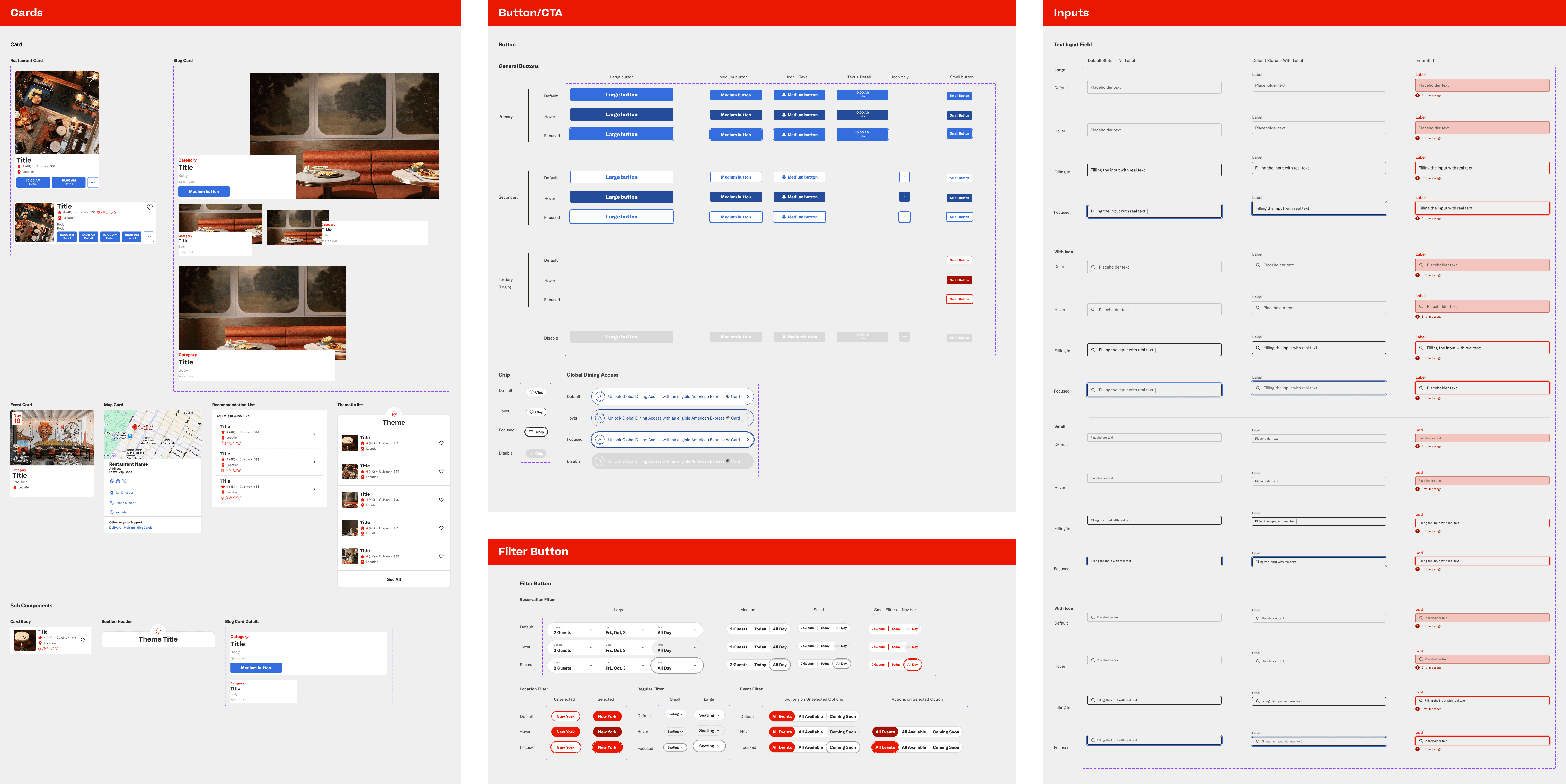
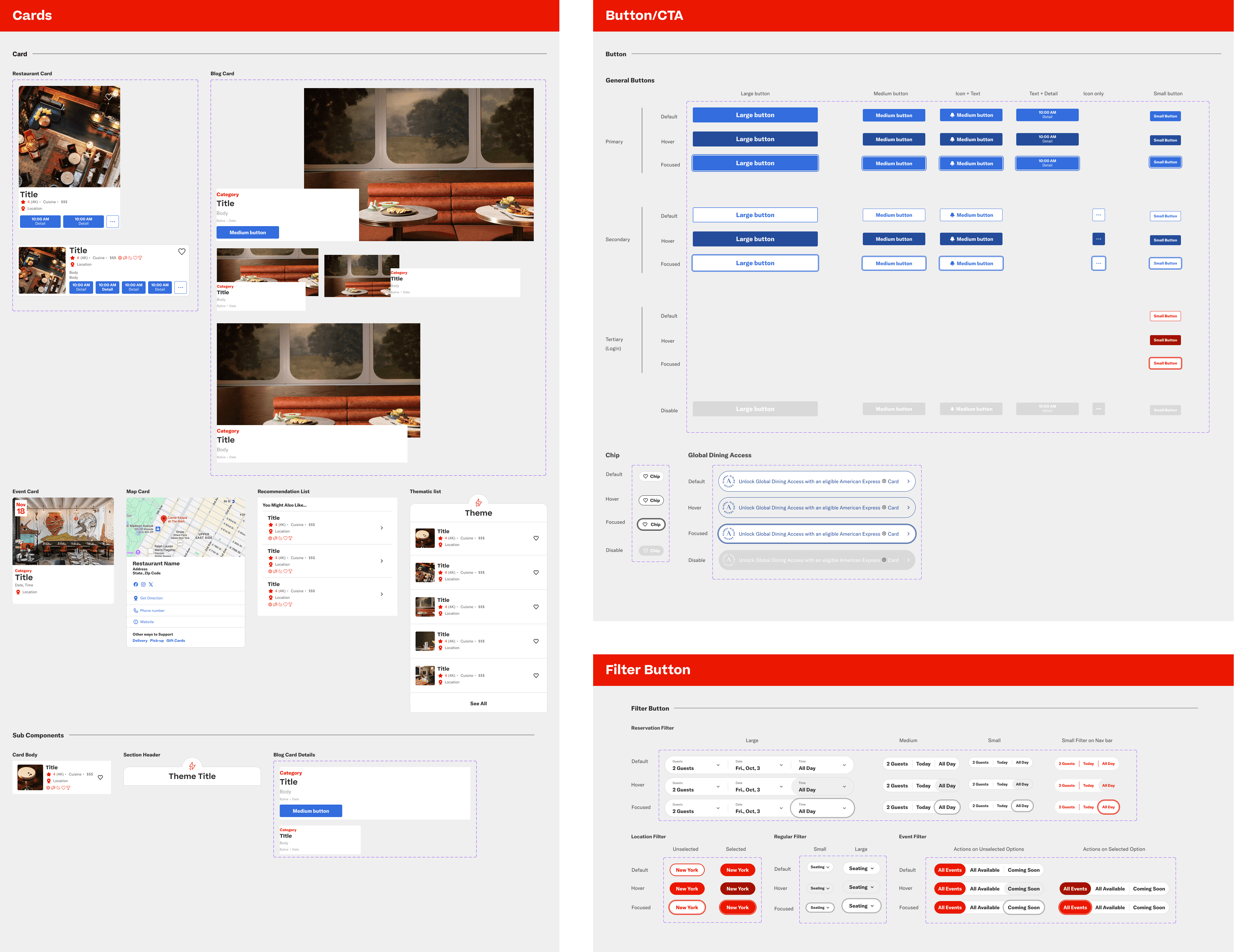
Components are reusable and modular building blocks that form the foundation of Resy's web interface. It creates an uniform interaction experience across elements. Epicurean includes the following components: Accordion, Banner, Buttons, Cards, Control Buttons, Inputs, Divider, Text Links, Tool Tips.
Components are reusable and modular building blocks that form the foundation of Resy's web interface. It creates an uniform interaction experience across elements. Epicurean includes the following components: Accordion, Banner, Buttons, Cards, Control Buttons, Inputs, Divider, Text Links, Tool Tips.
⚠️ There were multiple versions of a type of component. Which versions should be merged?
⚠️ There were multiple versions of a type of component. Which versions should be merged?
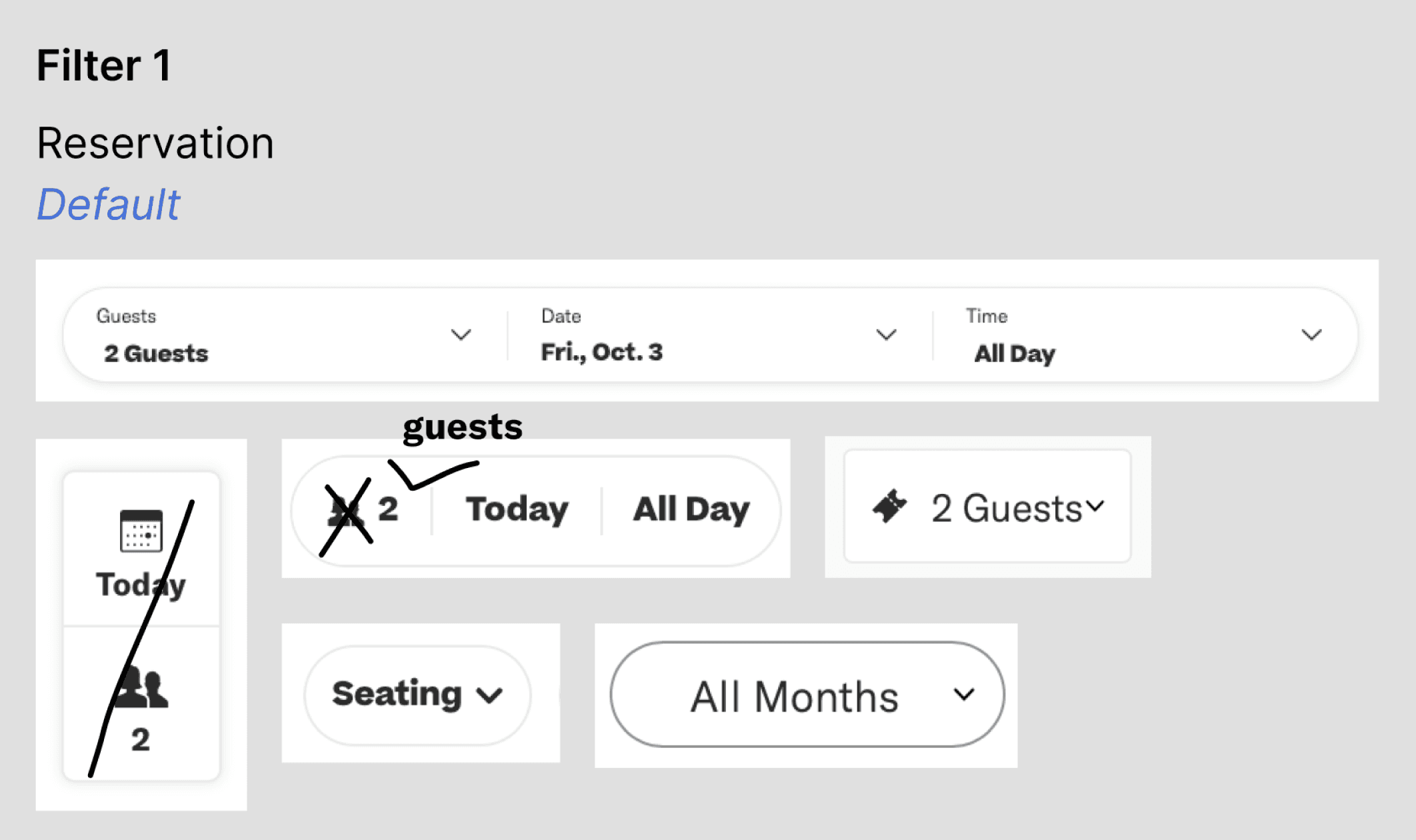
During deconstructing Resy's website, I found various versions of reservation filters. While some of them had shadow and icons, the others were not. The inconsistency made me feel confused.
During deconstructing Resy's website, I found various versions of reservation filters. While some of them had shadow and icons, the others were not. The inconsistency made me feel confused.
💡 How I solved it? Creating unified versions for those components.
💡 How I solved it? Creating unified versions for those components.
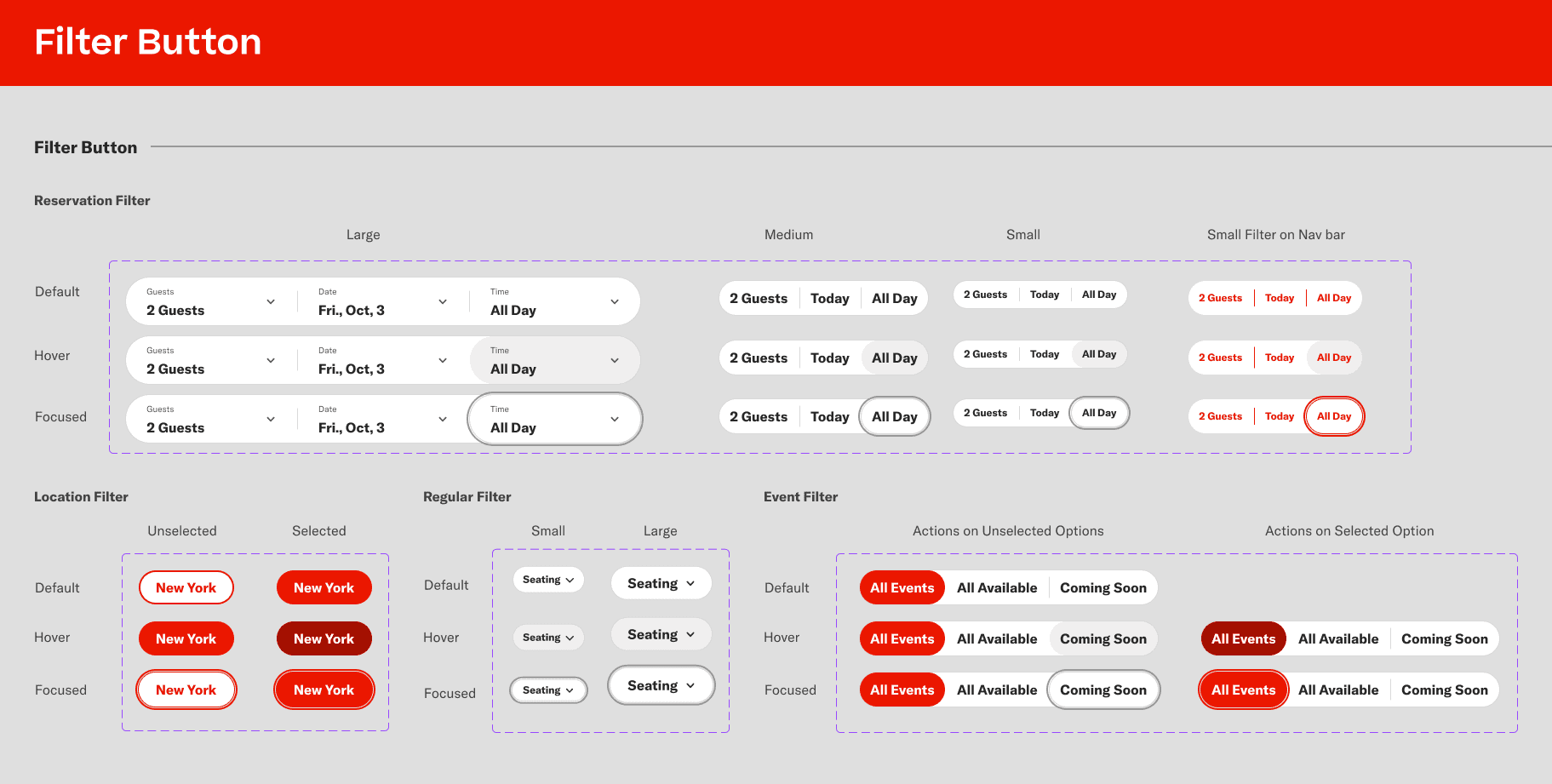
I created a set of filter buttons that makes the cohesive experience for users. I also decided to replace all the icons with text for consistency.
I created a set of filter buttons that makes the cohesive experience for users. I also decided to replace all the icons with text for consistency.
✅ How I Made Epicurean More Accessible?
✅ How I Made Epicurean More Accessible?
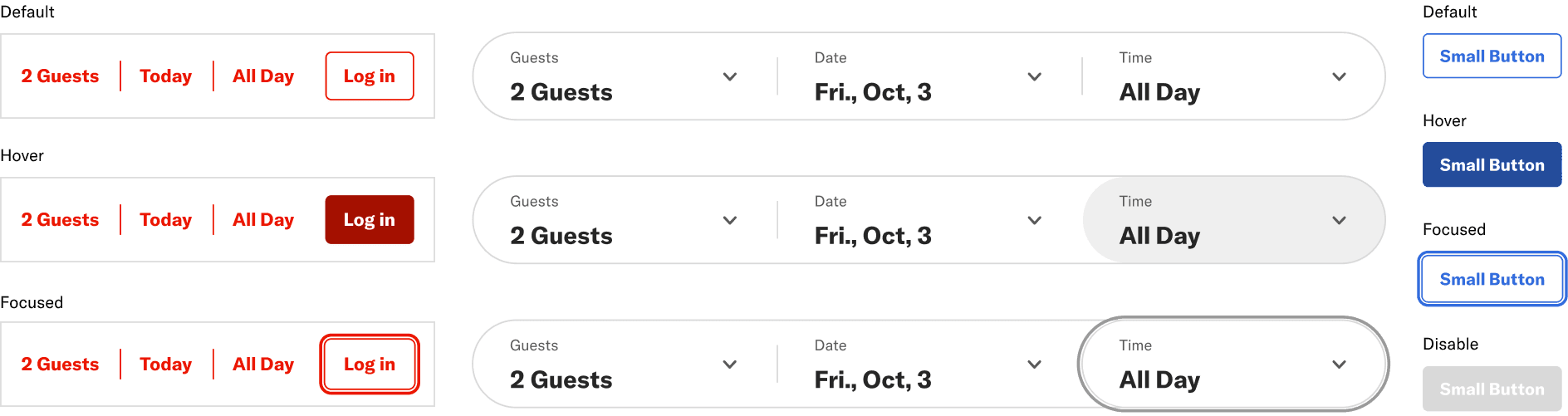
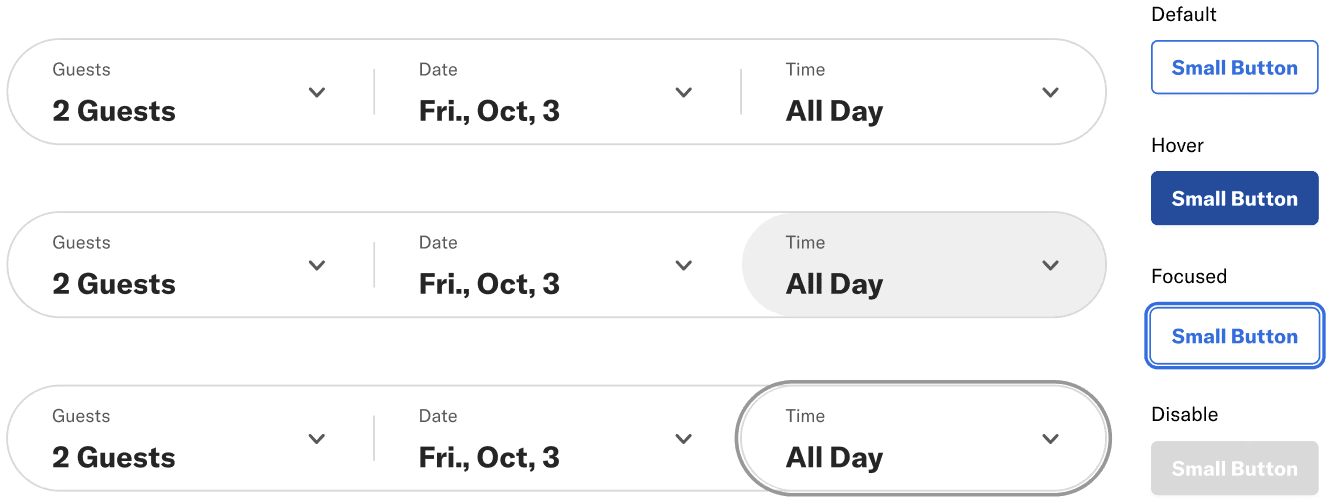
A key part of my contribution was implementing a robust system for interactive accessibility, particularly for users navigating the interface with a keyboard. I created default, hover, focused, and disable states for various buttons.
A key part of my contribution was implementing a robust system for interactive accessibility, particularly for users navigating the interface with a keyboard. I created default, hover, focused, and disable states for various buttons.
Patterns
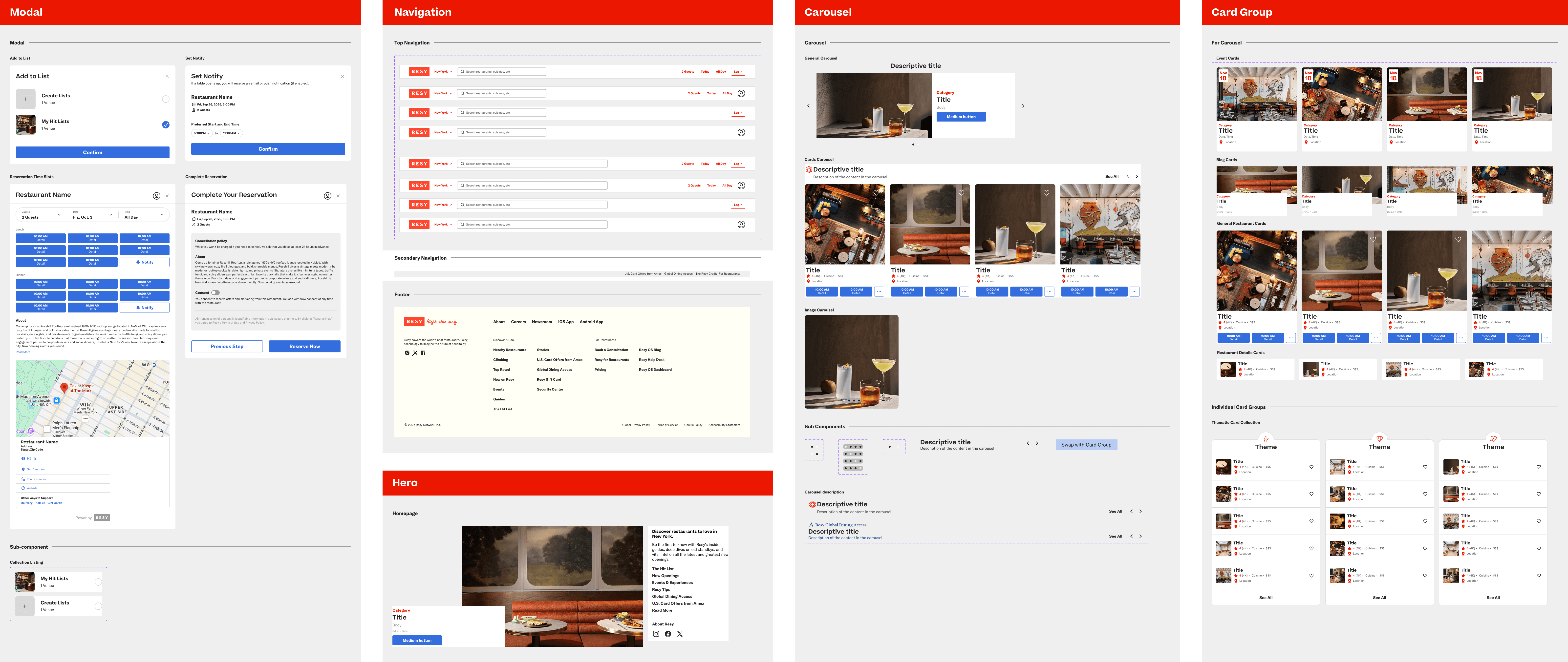
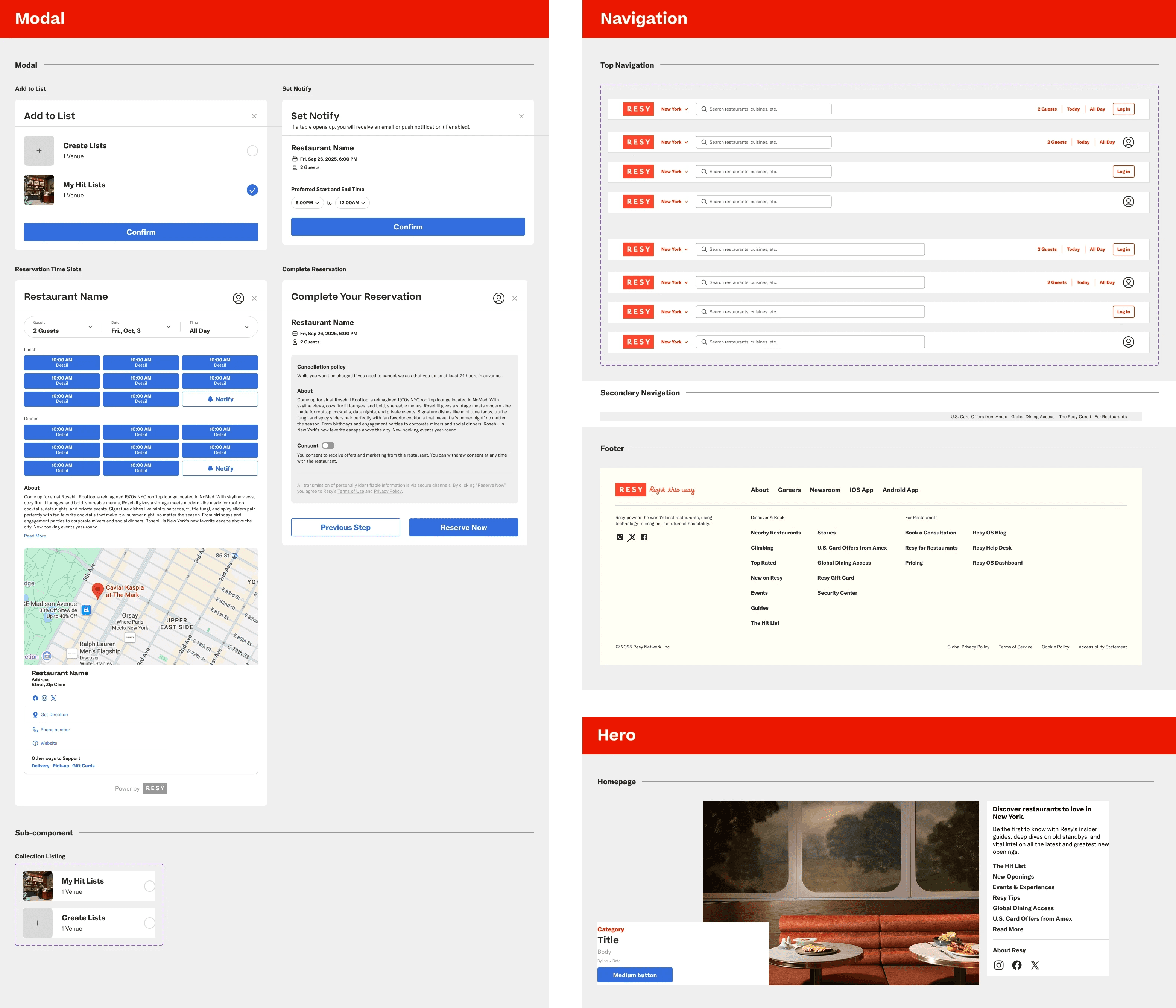
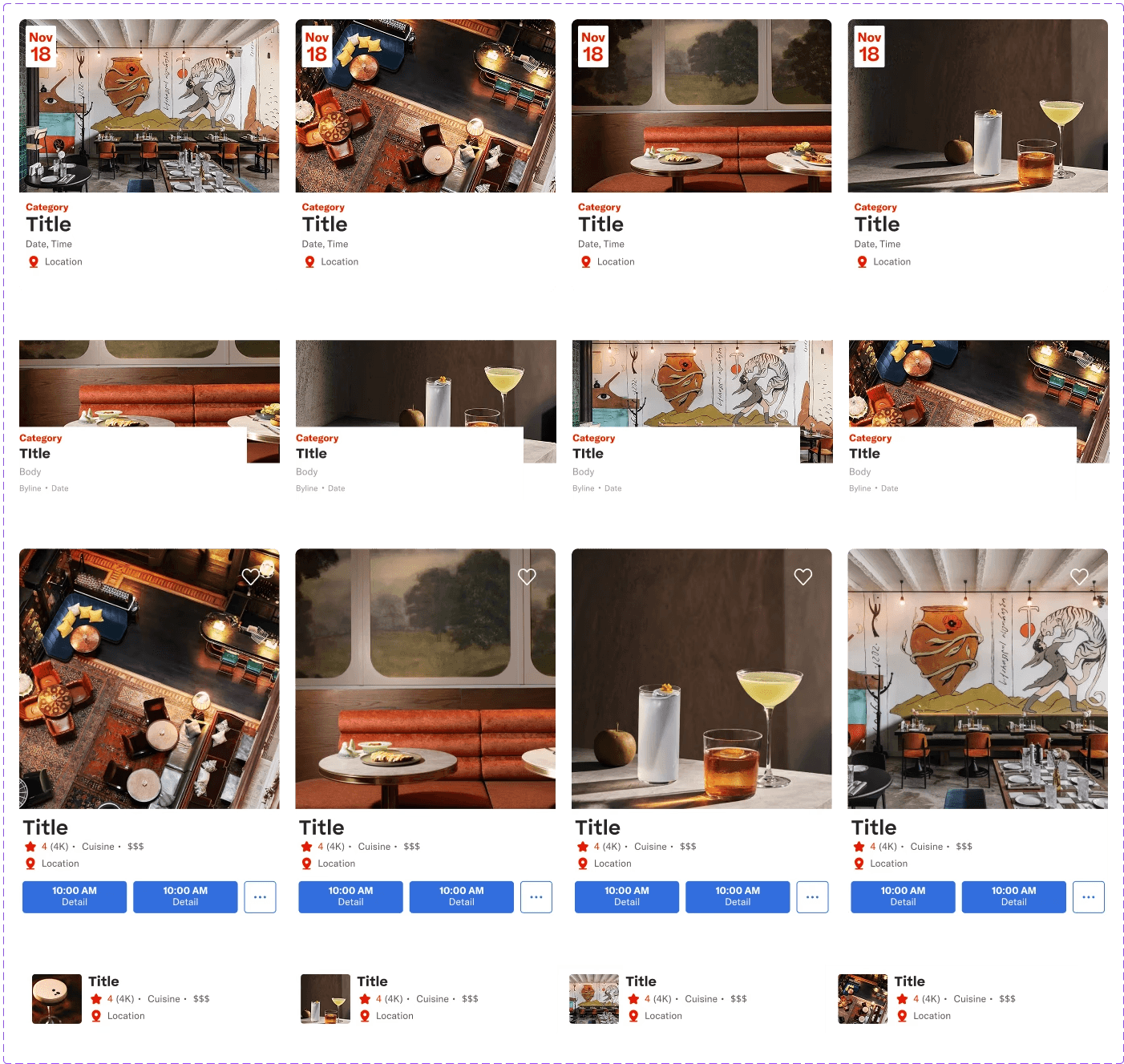
Patterns are reusable combinations of components and guidelines that solve common user problems. Epicurean includes the following patterns: Button Group, Card Group, Carousel, Filter, Hero, Menu, Modal, Navigation.
Patterns are reusable combinations of components and guidelines that solve common user problems. Epicurean includes the following patterns: Button Group, Card Group, Carousel, Filter, Hero, Menu, Modal, Navigation.
✅ How We Made Pattern More Flexible?
✅ How We Made Pattern More Flexible?
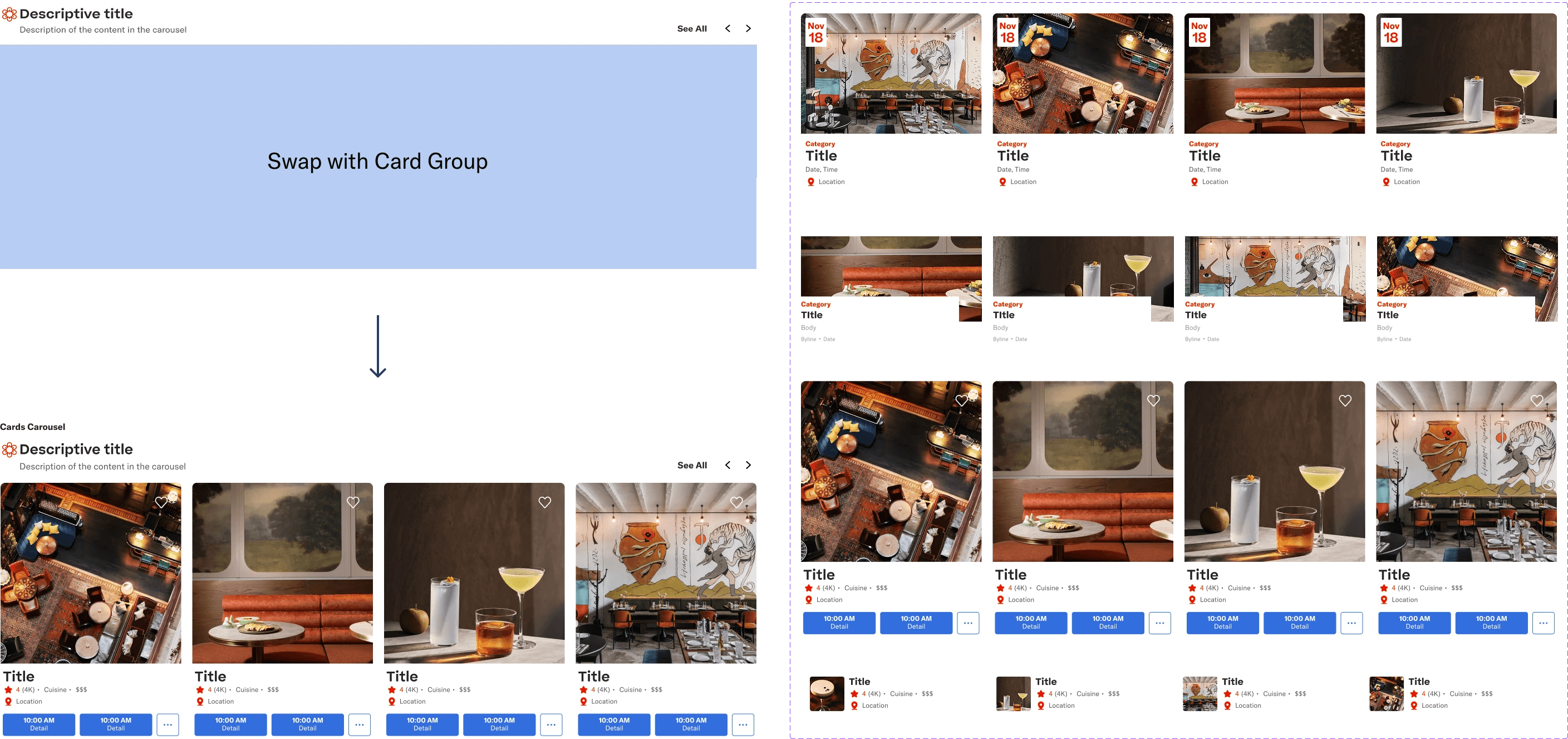
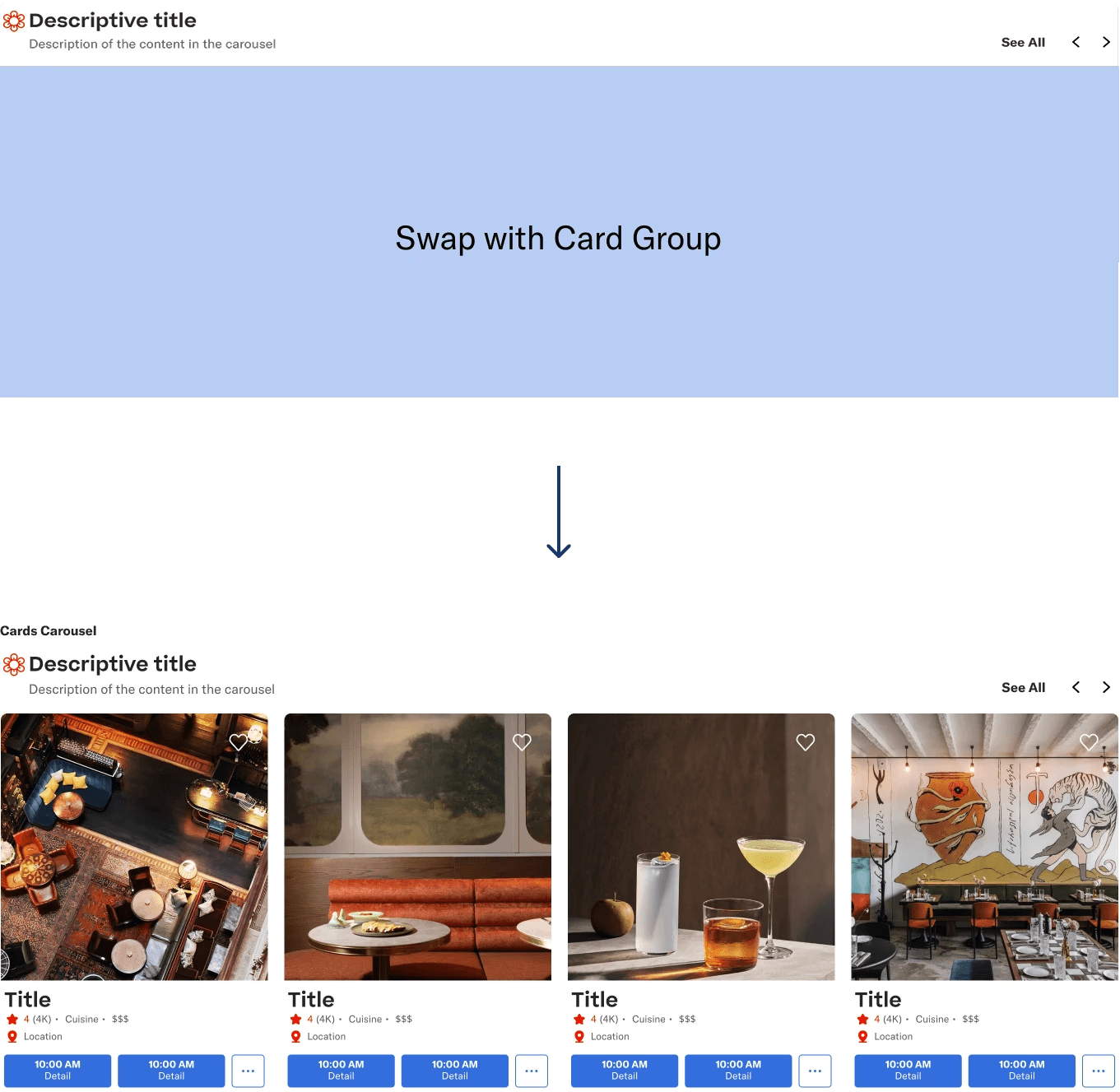
The system supports customizable Content, In this example designers can simply swap placeholders with the carousel with any card-group pattern as defined in our design system and instantly create consistent, on-brand carousels.
The system supports customizable Content, In this example designers can simply swap placeholders with the carousel with any card-group pattern as defined in our design system and instantly create consistent, on-brand carousels.
Can You Believe It?
You Can Build a Basic Page with the UI Kit within a Minute!
Can You Believe It?
You Can Build a Basic Page with the UI Kit within a Minute!
Can You Believe It?
You Can Build a Basic Page with the UI Kit within a Minute!
Demo video of how to build a page with Epicurean UI kit
Demo video of how to build a page with Epicurean UI kit
✅ How We Made Epicurean UI kit More Usable for Designers?
✅ How We Made Epicurean UI kit More Usable for Designers?
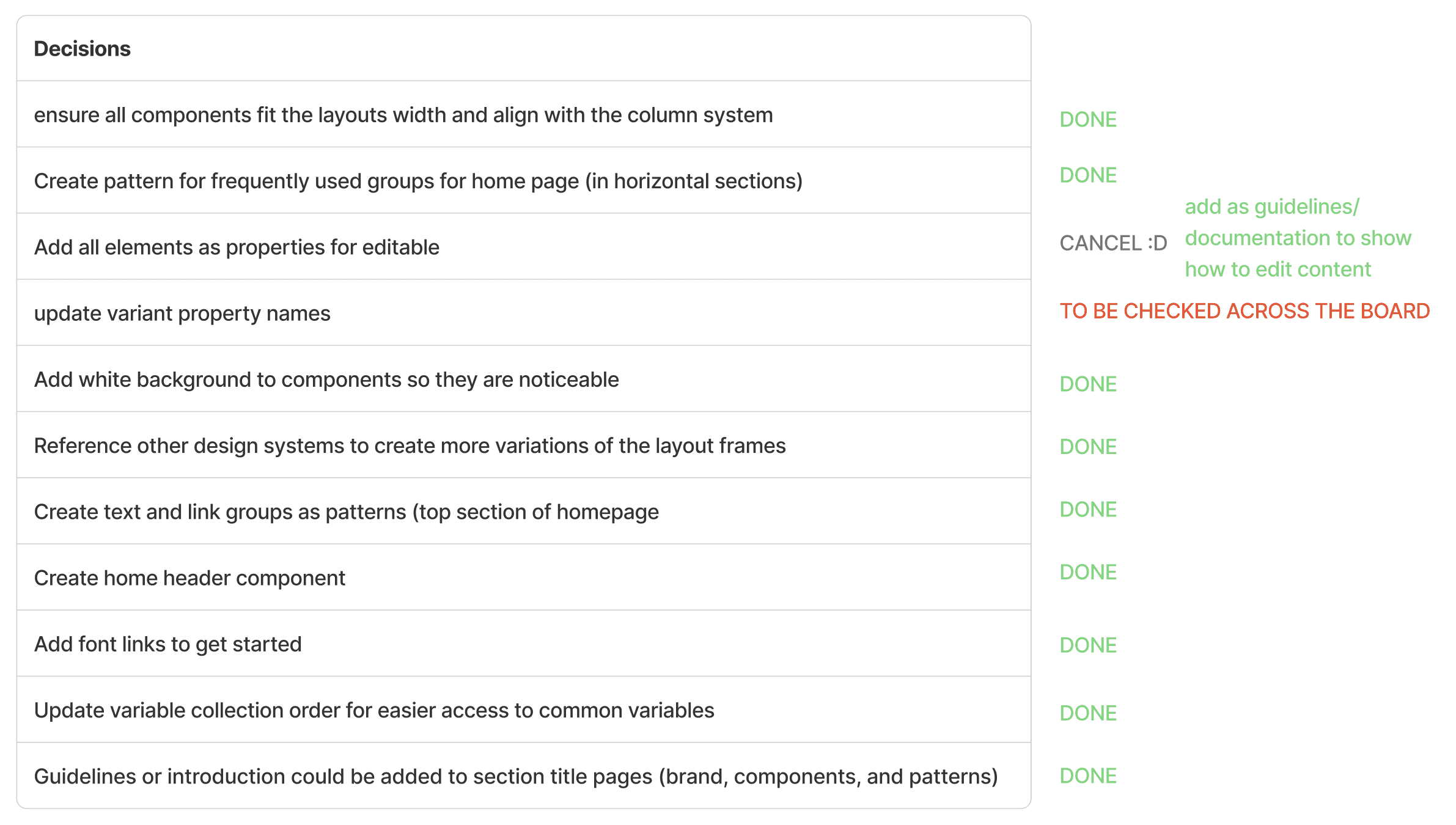
We tested the UI kit with product designers who were not familiar with Resy to identify where could we improve. After testing, we listed out some decisions that we could do to make the UI kit more understandable and learnable.
We tested the UI kit with product designers who were not familiar with Resy to identify where could we improve. After testing, we listed out some decisions that we could do to make the UI kit more understandable and learnable.

Step 3 Built the Figma UI Kit
Serving the Dish: Documenting the System
Serving the Dish: Documenting the System
This phase defined the system's usage and governance. We focused on creating clear documentation on Epicurean Design System to foster a common language across design, engineering, and product management. From this process, I learned that a clear documentation is key for governance, therefore, set up a template when working on the documentation is important. By doing so, we made sure the consistent logic across all words.
This phase defined the system's usage and governance. We focused on creating clear documentation on Epicurean Design System to foster a common language across design, engineering, and product management. From this process, I learned that a clear documentation is key for governance, therefore, set up a template when working on the documentation is important. By doing so, we made sure the consistent logic across all words.
Demo video of Epicurean Design System
Demo video of Epicurean Design System
✅ How We Made the Documentation Easy to Understand?
✅ How We Made the Documentation Easy to Understand?
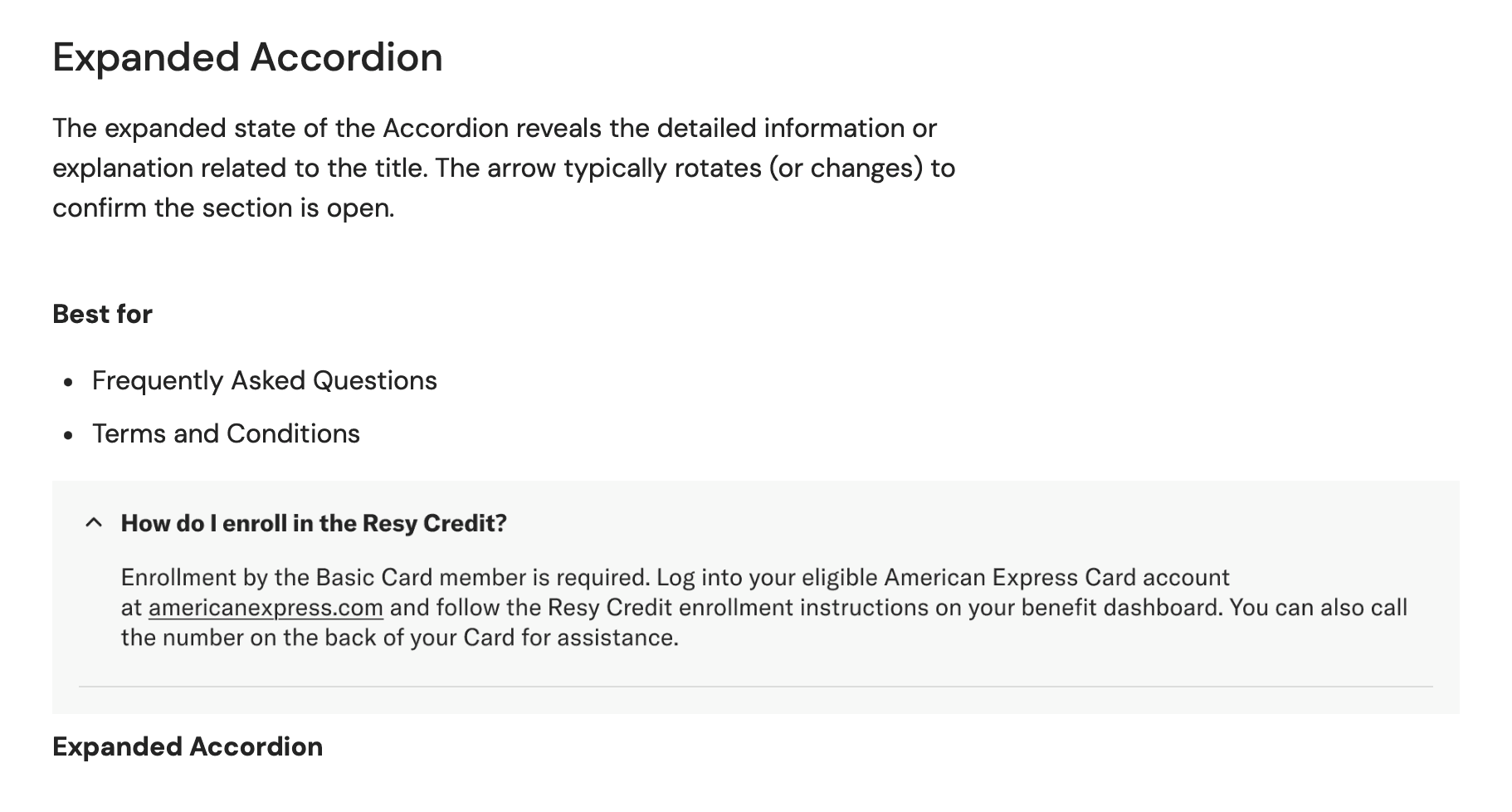
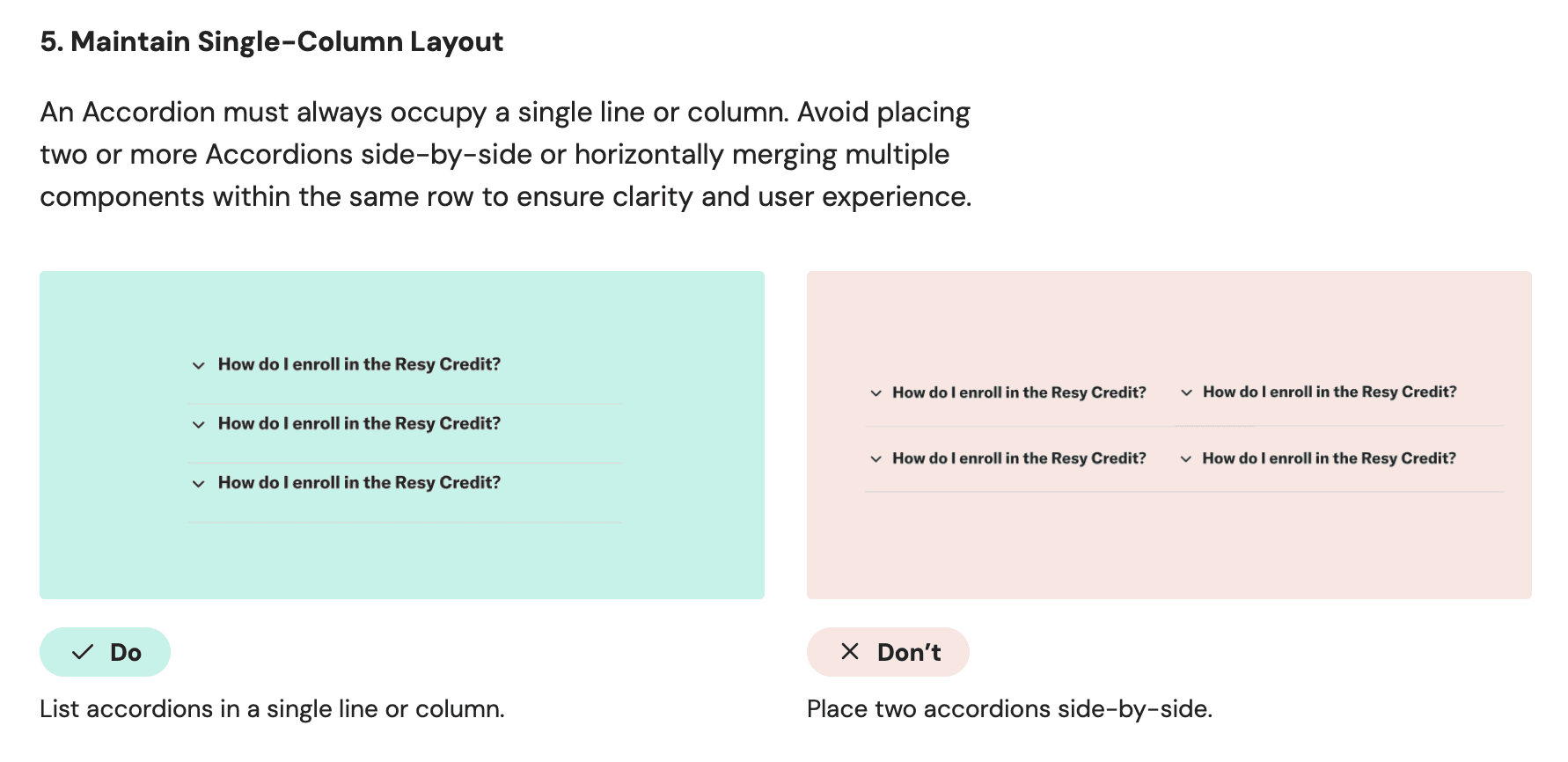
We wrote each elements with detailed introduction accompanied visual examples and usage guidelines, including Usage, Content Guideline, and Best Practice. We also ensured the Information architecture of the design system is easy to follow and the languages are easy to read.
We wrote each elements with detailed introduction accompanied visual examples and usage guidelines, including Usage, Content Guideline, and Best Practice. We also ensured the Information architecture of the design system is easy to follow and the languages are easy to read.
Introduction of Component
Introduction of Component
Usage Guideline
Usage Guideline
03 The Result
03 The Result
Impact
Recap: The Problems and How Epicurean Solved all of Them!
Recap: The Problems and How Epicurean Solved all of Them!
A clear documented and guidelines to bridge designers, developers and PMs.
A clear documented and guidelines to bridge designers, developers and PMs.
University of Penn
A library of foundations, components, and patterns that ensure visual conhesion.
A library of foundations, components, and patterns that ensure visual conhesion.
Main Problems
Inconsistent Visuals
Typography, colors, spacing, and icons clash across pages with no unified rhythm or usage.
Typography, colors, spacing, and icons clash across pages with no unified rhythm or usage.
Undefined Component Hierarchy
No clear system for when to use specific actions, leaving button prominence and flow guidance
No clear system for when to use specific actions, leaving button prominence and flow guidance
Accessibility Issues
Buttons, controls, and inputs lack consistent visual to show different states.
Buttons, controls, and inputs lack consistent visual to show different states.
Key Improvements
Consistent Visuals
Our reusable UI kit guarantees visual cohesion and consistent usage across the product ecosystem.
Our reusable UI kit guarantees visual cohesion and consistent usage across the product ecosystem.
Common Language
Clear documentation and guidelines bridge communication across designers, engineers, and PMs.
Clear documentation and guidelines bridge communication across designers, engineers, and PMs.
Better Accessibility
The pre-established style system ensures all assets meet WCAG compliance standards.
The pre-established style system ensures all assets meet WCAG compliance standards.
Feedback
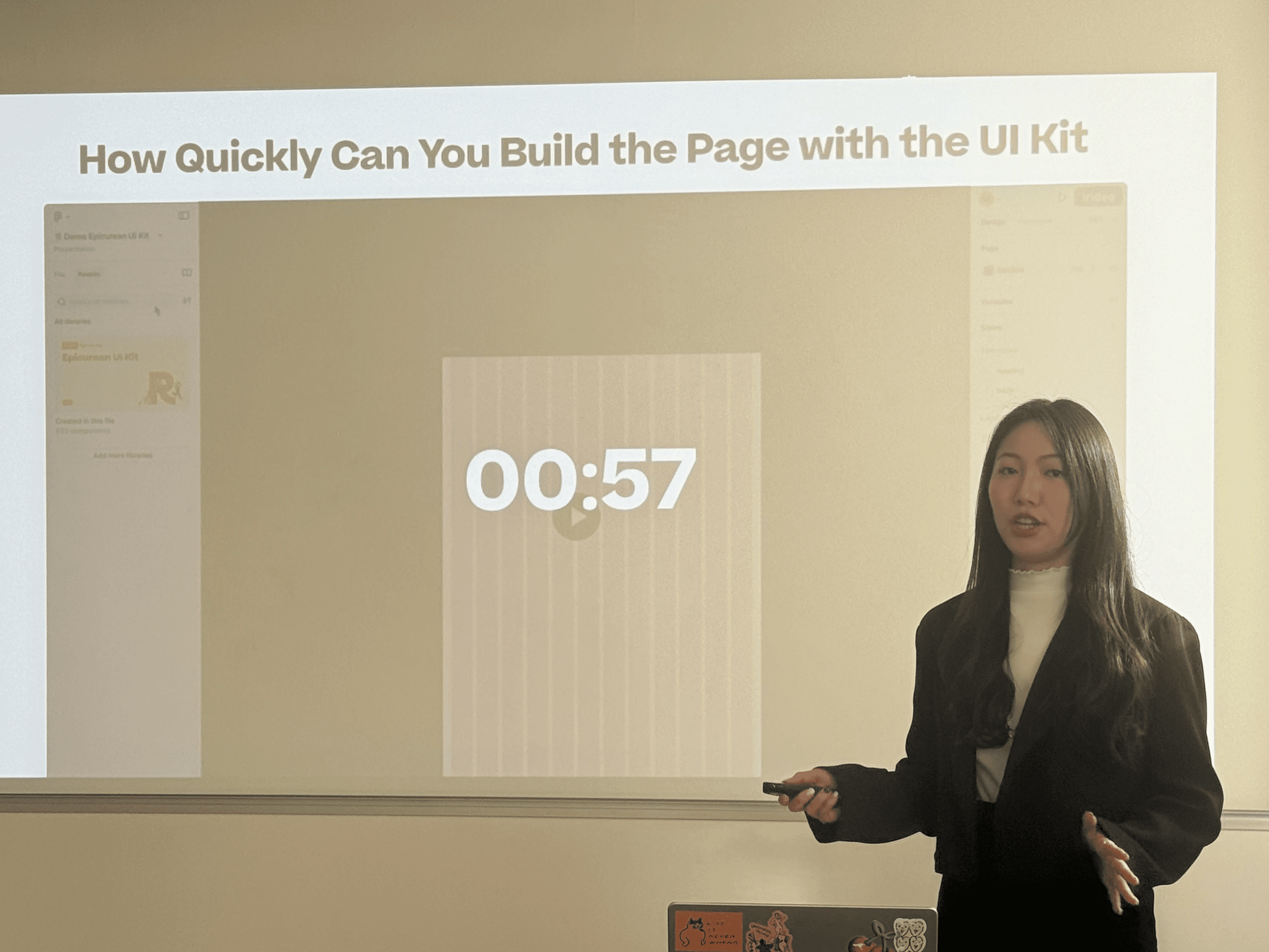
“I was impressive that it only took 57 secs to build a page with the design system.”
“I was impressive that it only took 57 secs to build a page with the design system.”
The pitch received positive feedback, validating everything we built. The biggest "wow" moment was definitely how designers can build a page with Epicurean UI kit within a minute. The title quote effectively contrasted the previous state where designers "worked in a mess" with high uncertainty and manual handoffs. The hypothetical Resy's design team strongly appreciated seeing how the Epicurean Design System will help streamline their working flow by enabling them to easily access and implement pre-established components and styles, shifting their focus toward innovation.
Want to learn more about Epicurean Design System? Here is our Pitch Deck.
Want to learn more about Epicurean Design System? Here is our Pitch Deck.
Next Steps
Future Vision: Design System Roadmap
Future Vision: Design System Roadmap
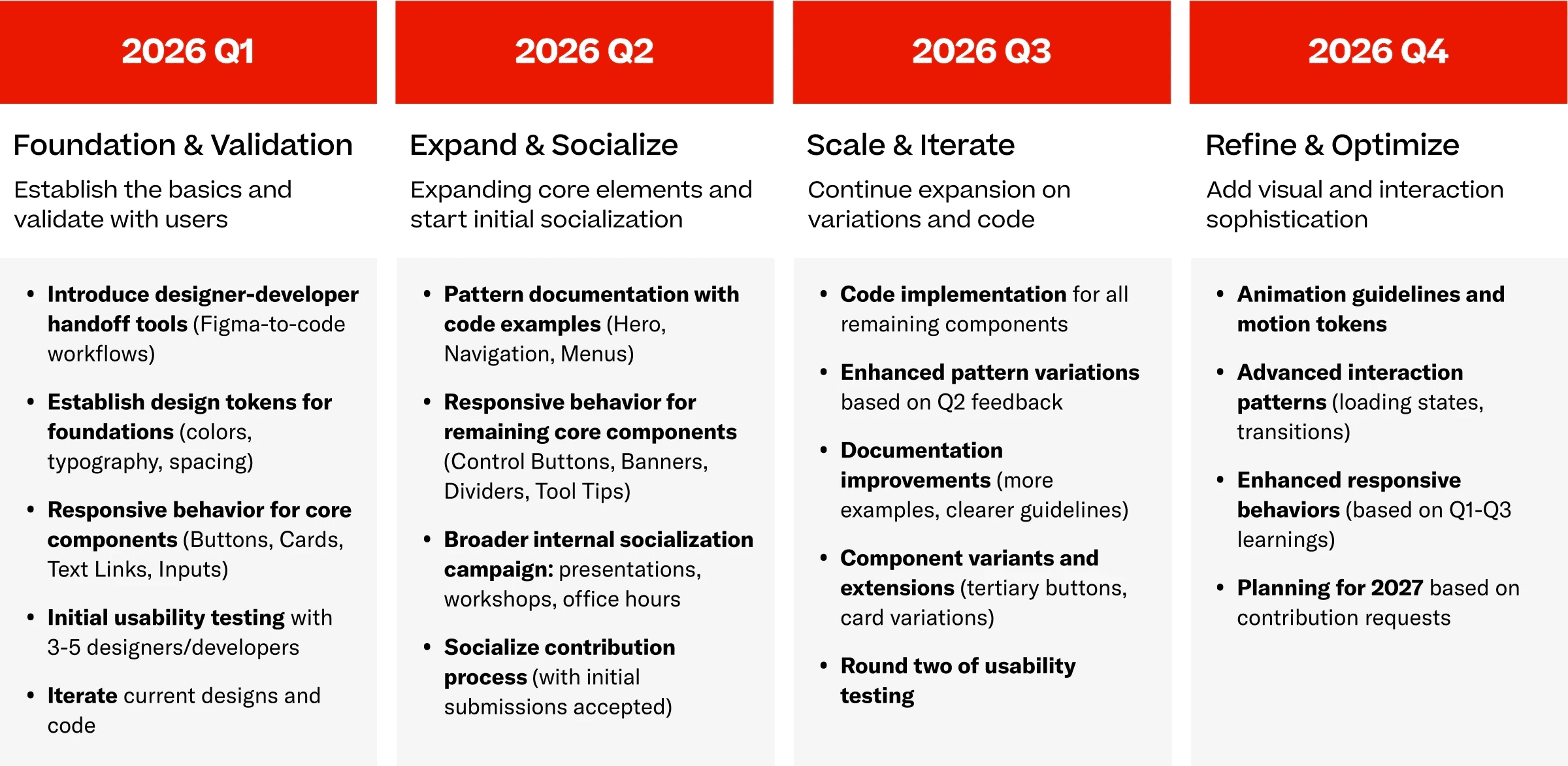
If I were to continue this project, the next phase would be focused on establishing a full, enterprise-ready system. This involves a strategic 2026 roadmap centered on deepening the foundation, expanding core components, and ensuring user validation and internal adoption.
Takeaways
From Creating a UI Kit to Building a Design System.
From Creating a UI Kit to Building a Design System.
This project significantly enhanced my expertise, moving beyond my prior experience leading two design system builds for startups. While those previous efforts successfully established UI Kits and basic documentation, they primarily functioned as design resources and lacked comprehensive guidance. This project provided invaluable growth, particularly in deepening my understanding of Design Tokens. Mastering how to construct a clear and robust color token system with WCAG compliance allowed me to bridge gaps between designers and developers. I also learned how to develop comprehensive design documentation, ensuring the system operates as a reliable, single source of truth for all cross-functional partners.